Migrating to Master CSS
Convert one component or route, verify the screens sharing its styles, and remove old dependencies when their consumers are gone.
On this page
Start with one component or route whose appearance and behavior you can compare before and after the change. Connect Master CSS to the existing app, convert that slice, and verify it while the rest of the product continues to use its current styles.
Keep the first batch focused on preserving the UI. A redesign, a component-library replacement and a styling migration each introduce different changes to review; separate them when possible.
#Choose the source styling system
Use the guide for the system you already have. If the app combines several systems, choose the one that owns the first component's styles; the others can stay in place.
#Define the first batch
Record a working baseline in version control and run the app's existing checks. Note any failures before editing so you can distinguish them from regressions. Capture the chosen screen at its important widths and interaction states.
An account settings form makes a useful first batch: it has a clear boundary, visible fields and buttons, and observable behavior. Include its labels, validation messages, focus states and disabled controls. Keep billing and reports outside the conversion, but include them in visual checks if they share the app stylesheet.
Inspect these connections before deciding which files to change:
| Connection | What it changes about the batch |
|---|---|
| CSS entry, reset and layer order | Setup can affect screens whose markup you leave untouched. |
| Shared tokens and component classes | A definition may have consumers outside the chosen component. |
| Source discovery and dynamic class names | The generated CSS must include the states the component actually renders. |
| Component-library behavior | Replacing a class does not replace a widget's focus management, events or accessibility behavior. |
The conversion boundary is not a CSS isolation boundary. In an app where Account, Billing and Reports load the same CSS entry, adding Master CSS or changing a shared rule requires checking all three.
Convert one screen; check the shared CSS surface
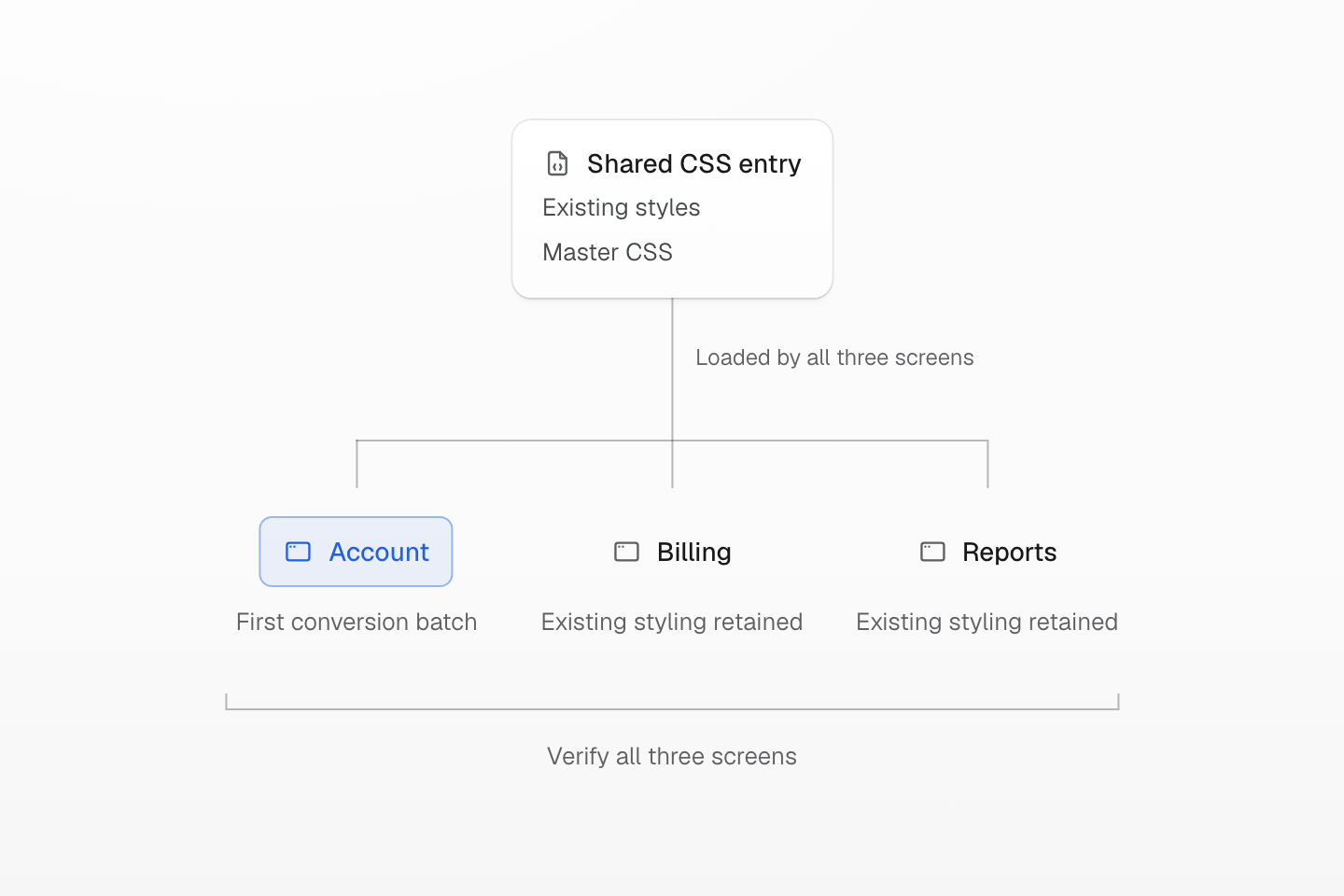
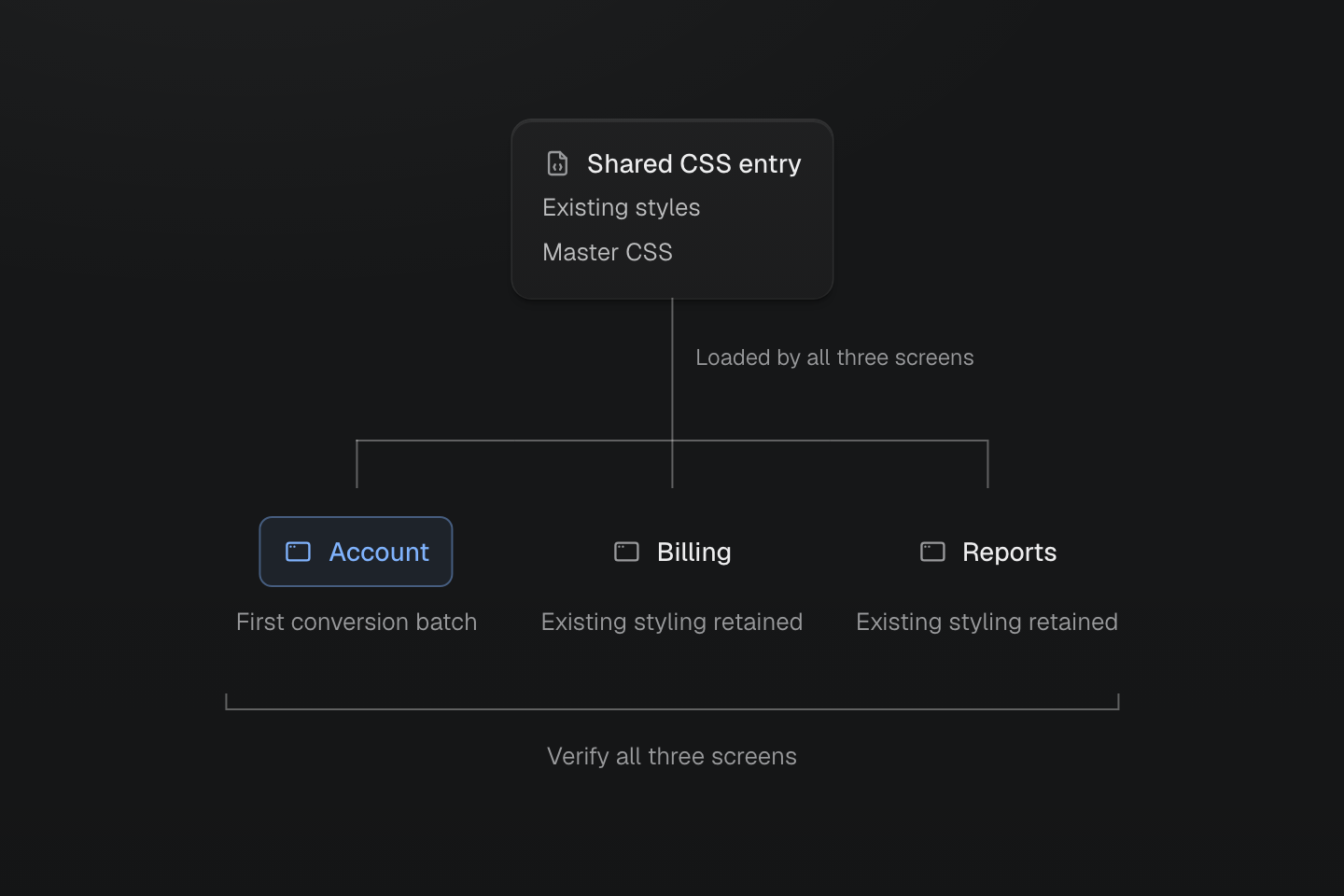
In this app, all three screens load the same stylesheet entry. Converting Account does not isolate changes to shared resets, tokens or selectors from Billing and Reports.
Text description
- One shared entry. The example app loads its existing styles and Master CSS through a shared CSS entry used by Account, Billing and Reports.
- One conversion batch. Only Account is being converted. Billing and Reports still depend on their existing styles.
- A wider verification scope. Check all three screens when setup or shared definitions change. A component-sized edit does not make the stylesheet component-scoped, and the old dependency remains needed by the other screens.
Move one component boundary at a time
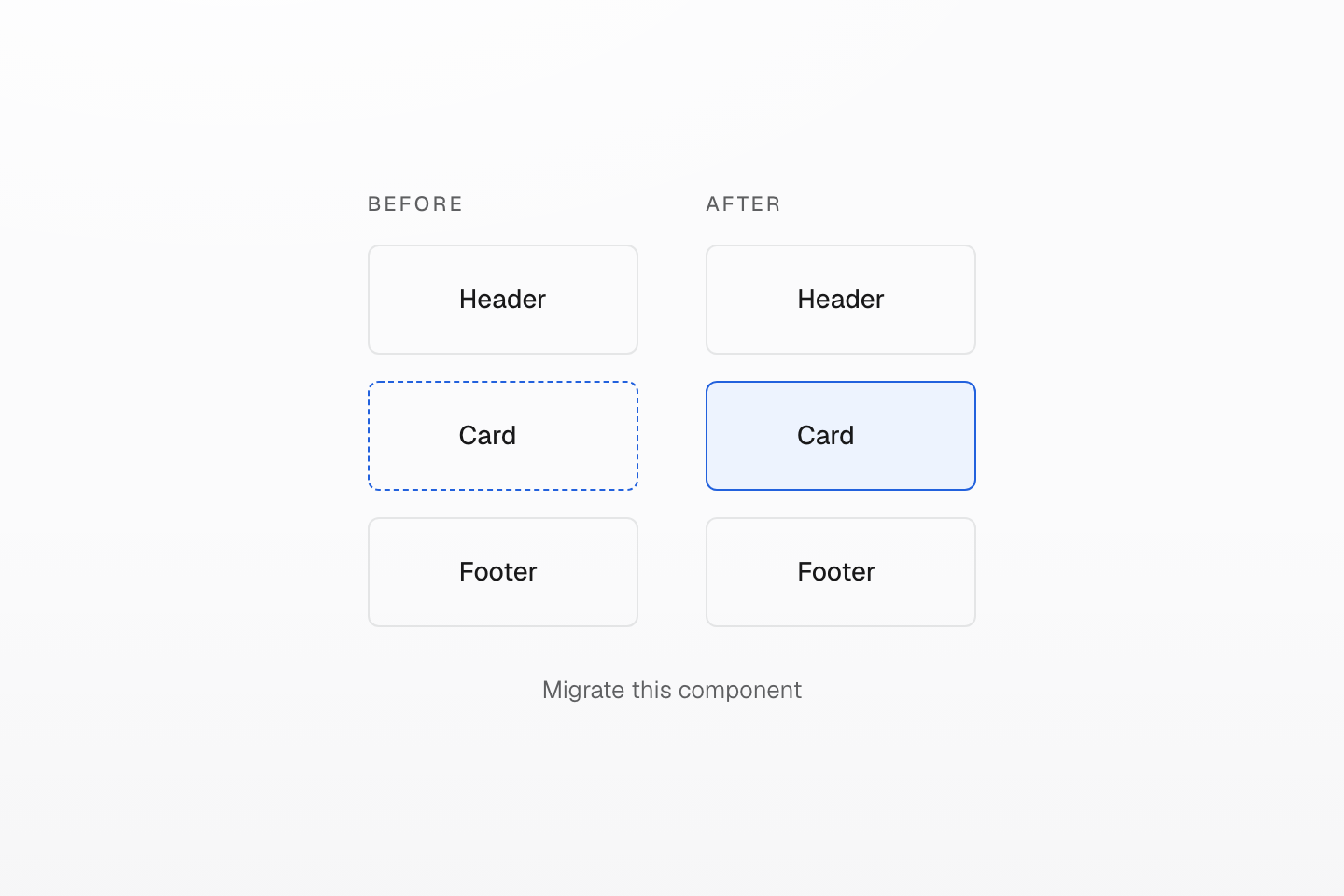
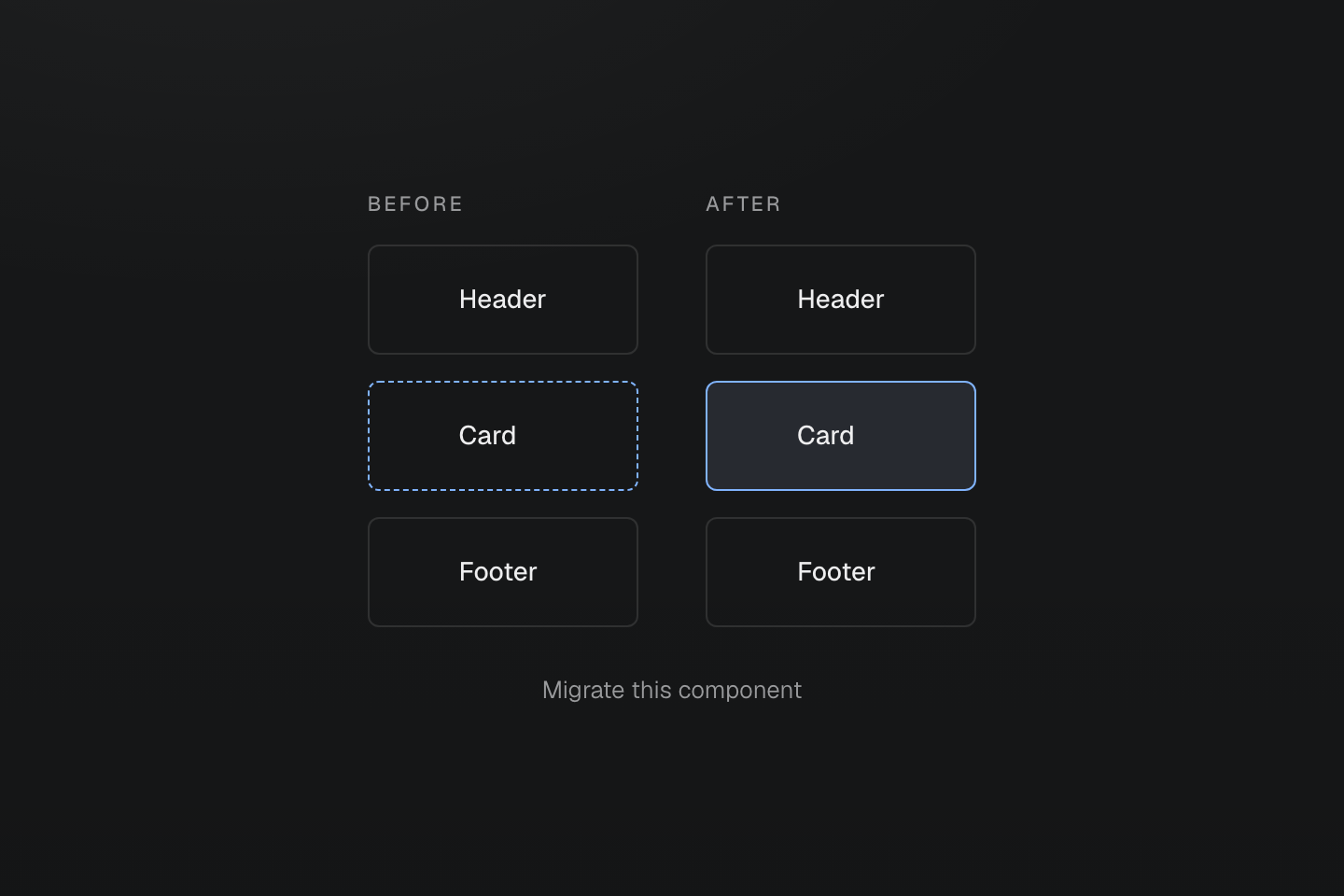
Keep the same user-facing behavior while migrating one bounded component. Verify shared resets and tokens separately.
Text description
Three neighboring components remain visible while only the middle component changes styling ownership.
#Connect Master CSS beside the existing styles
Follow Installation for the app's framework or build tool. Confirm the app loads the CSS entry containing @import '@master/css';, and choose a rendering mode that covers how the app supplies its class names.
Keep existing styles loaded while the first batch is converted. If both systems compile their own directives, give each compiler its own input rather than sending one system's source through the other. The source-system guides above explain those build boundaries.
Before converting the form, inspect the effects of setup itself: Master’s preset includes base styles for elements such as headings, lists and form controls. Compare the existing screens with the baseline now. Resolve reset differences, conflicting token names and overlapping utility names before attributing a visual change to the component conversion.
Adding the Master import later does not guarantee that its utilities win. Within the same author origin and context, normal unlayered declarations outrank normal layered declarations under the CSS cascade rules. Keeping an old class on an element can therefore hide whether its new utility works. Inspect the winning declaration in browser devtools; use Compatibility and Cascade layers to resolve the ordering deliberately.
#Convert the component without changing its contract
Follow the source-system guide for the code conversion. Compare the resulting declarations and computed values, rather than assuming similarly named classes or tokens produce the same result.
- Use existing project tokens when their values match the intended design. Define a shared value in
@themewhen it represents a product decision; check its other consumers when changing it. - Move local visual styles into markup where that makes the component easier to read. Keep native CSS or CSS Modules when they express the selector or component contract more clearly.
- Preserve runtime values, component props, event handlers, semantic elements and keyboard behavior. Keep a vendor widget and its required CSS while the app still depends on that widget.
- For scanned output, make class names available as complete strings. Check conditional variants and generated content against Scanning class names.
For the account form, completion means that entering a value, submitting, showing an error and disabling the action still work. Matching the form's idle screenshot is only part of the result.
#Verify the batch, then remove unused styles
Use the baseline to review the change before expanding to another component:
- Run the relevant formatter, lint, type-check and tests, then the production build. Check the built app as well as the development preview.
- Compare the converted screen at its important widths, themes and states. Exercise keyboard navigation, focus, validation and disabled controls.
- Check screens sharing any changed reset, token or global rule, including screens outside the batch. In the example, review Billing and Reports as well as Account.
- Remove the converted component's old styles only after checking their remaining consumers. Recheck the result after removal; a retained old rule may have been masking a missing new declaration.
- Remove a styling dependency only when no remaining screen, widget or build input needs it. Keep useful native and vendor CSS; it does not need to disappear for the batch to be complete.
Record intentional visual differences and remaining dependencies with the batch. Once that result is reviewable and verified, repeat the process for the next component or route.
#Ask an agent to plan the work
The official master-css skill includes
an Import external styles workflow for bringing one CSS or Tailwind component
into Master CSS. It preserves the component's values and behavior unless you ask
for a redesign. Use the comparison checks in this guide to verify the result.
#With MCP
The Master CSS MCP server provides a migrate-to-mastercss prompt for planning a conversion from an external styling system. It instructs the agent to inspect the project and return a rendering mode, a first batch, CSS output risks and validation commands. The prompt supplies instructions; it is not an automatic code converter.
Use the Master CSS MCP prompt migrate-to-mastercss for this workspace. Inspect the external styling system, framework, stylesheet entries, source discovery, shared tokens and available checks. Do not edit yet. Return a plan for one component or route: setup changes, conversion files, screens affected by shared CSS, validation commands and the conditions for removing old styles. Identify uncertainties to inspect.
#Without MCP
Give a local coding agent the same bounded task. Include the component or route you chose, then use this planning request:
Plan the first batch of this project's migration to Master CSS. Use the documentation matching the installed packages to verify current syntax, APIs and setup. Do not invent classes or package names. Inspect the framework, styling systems, CSS entry, shared definitions, source discovery and available checks. Do not edit yet. Propose the smallest working batch around the selected component or route. Explain how the old and new CSS will coexist, which screens need comparison, and which component behaviors must be preserved. List the files to change, validation commands, unresolved questions and evidence needed before deleting old styles or dependencies.
Review the plan against the actual project, then request implementation of that batch. Keep the same checks whether the edits are written by an agent or by hand.
For a custom engine host, use the current execution contract. This guide covers conversion from external styling systems.