Code linting for Master CSS
Use ESLint to validate Master CSS classes, detect conflicts, sort class lists and apply project policies.
On this page
#Overview
Catch invalid classes, conflicting declarations and inconsistent syntax as you edit. The ESLint integration uses your project's theme and custom definitions, so diagnostics reflect the classes your project can generate.
Start with the recommended config below, or use the installation integrations to add it with your framework setup. Linting checks class authoring; use the browser to verify layout, contrast and interaction. A clean lint result is not a design review.
Fix formatting; choose meaning
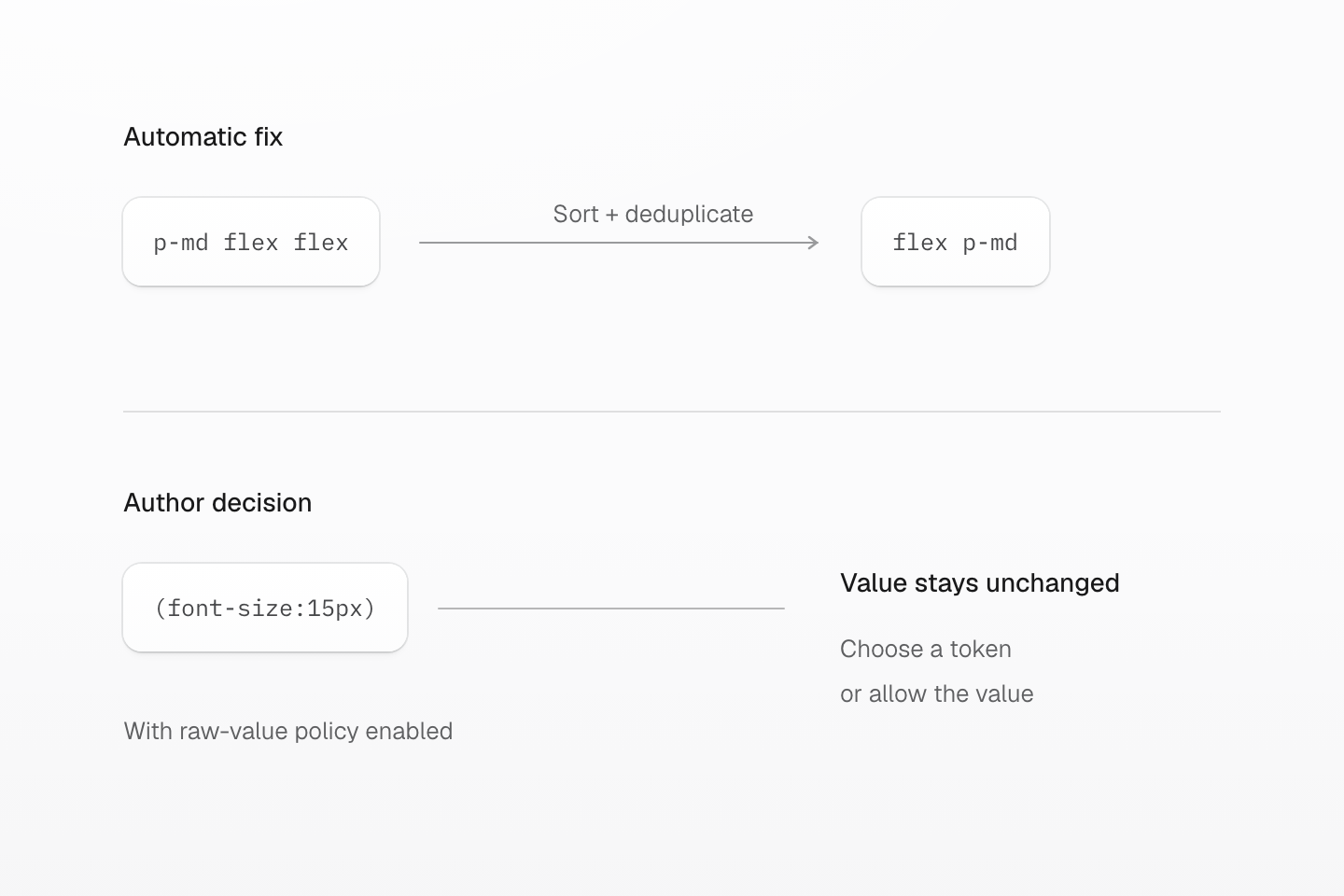
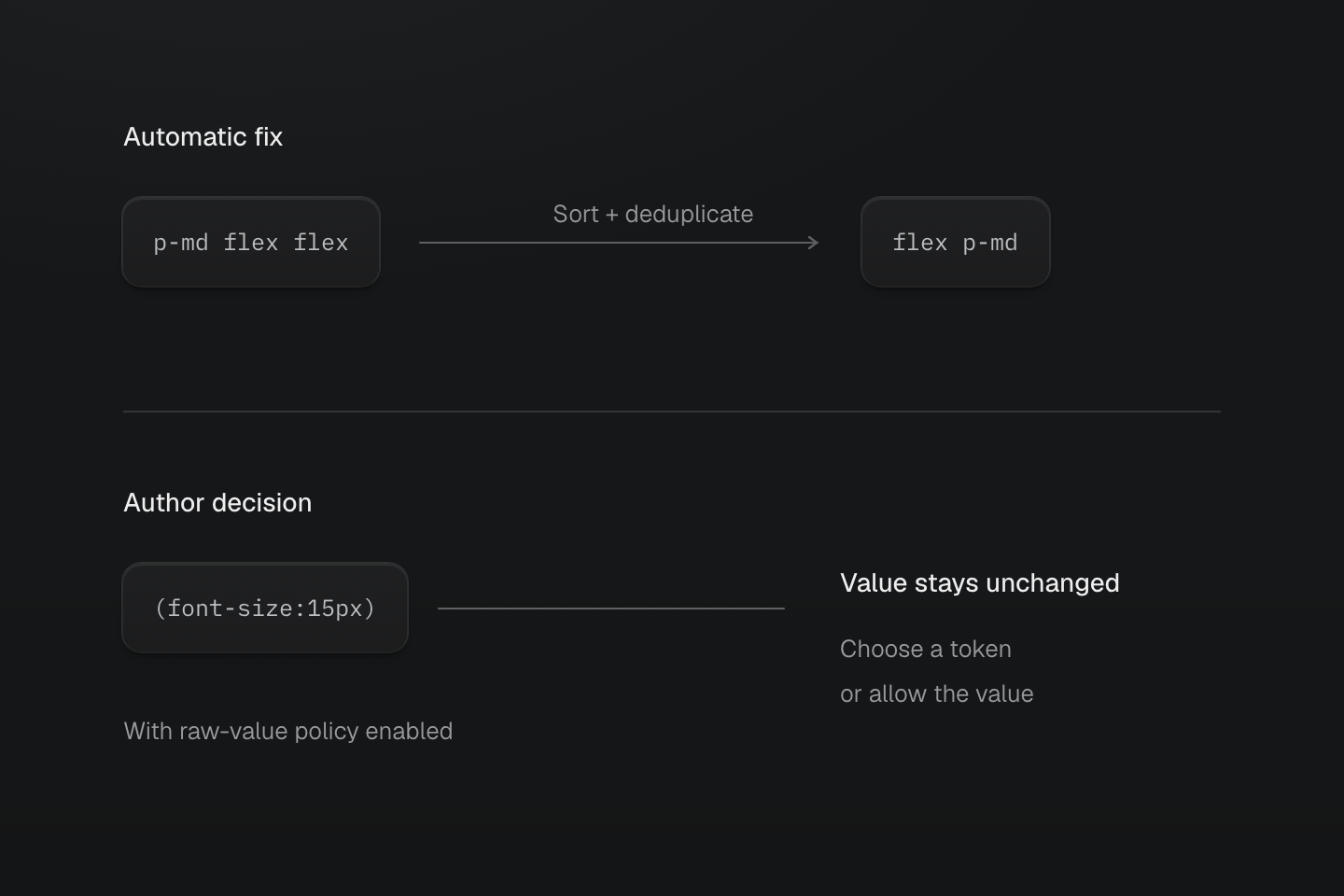
An automatic fix can reorder and deduplicate classes. A raw-value warning cannot choose the design role on your behalf.
Text description
- Safe formatting. sort-classes changes p-md flex flex to flex p-md. The duplicate disappears without changing the generated declarations.
- Design decision. With no-unapproved-raw-values enabled, (font-size:15px) can produce a warning. It has no automatic fix: choose a semantic token or explicitly allow that value.
#Install the recommended config
Install ESLint and the recommended config in the project. Keep framework parser configuration when the project needs it.
npm install -D eslint @master/eslint-config-css@2.0.0Add the recommended config to your flat config:
import { defineConfig } from 'eslint/config'import masterCSS from '@master/eslint-config-css'export default defineConfig([ ...masterCSS])It enables the four rules below; see the rule defaults and fixes. Run the check from the app root so it can find the project CSS entry:
npx eslint .Review automatic edits locally before adopting them across the project:
npx eslint . --fixSorting, duplicate removal and fully overridden classes can be fixed automatically. Invalid values and design-policy warnings can still require a decision after the command finishes. Keep the non-fixing command in CI so failures remain visible.
#Linting rules
#Sort classes
@master/css/sort-classes keeps class strings stable and reviewable. It sorts known Master CSS classes before unknown classes, follows generated layer and condition priority, and groups base classes by their generated CSS intent: position and layout, size, spacing, box, typography, paint, and effects.
bg-white font-md flex px-md relative w-full shadow-lg r-md (z-index:10) (gap:0.5rem)relative (z-index:10) flex (gap:0.5rem) w-full px-md r-md font-md bg-white shadow-lgVariants such as :hover, @dark, and @sm stay after the base class body in generated condition order.
bg-black:hover flex p-sm w-full block@dark text-centerflex w-full p-sm text-center bg-black:hover block@darkSorting also removes duplicate class values in the same class string.
inline-flex px-md inline-flexinline-flex px-mdOrdering is a formatting policy. It does not change generated CSS, but it makes class strings easier to review and keeps automated fixes deterministic across frameworks and editors.
#No invalid classes
@master/css/no-invalid-classes reports malformed Master CSS class syntax and recognized classes that generate invalid CSS. These are separate failures: a malformed class can be rejected before any rule is generated, while an accepted declaration can still contain an invalid value.
<button class="(font-size:16)">Save</button>(font-size:16) has a unitless nonzero length. Use a native length such as (font-size:16px) or a defined size token such as font-md.
By default, unmatched classes are ignored so teams can mix Master CSS with native global classes.
An unknown CSS value is a different case: the class can match the language while the validator cannot fully check its value. For example, the current validator reports (display:banana) as unknown, and this rule does not flag it. A clean lint result therefore does not establish browser support or the intended appearance.
To reject unmatched class names too, enable disallowUnknownClass.
#Prefer canonical classes
@master/css/prefer-canonical-classes checks for equivalent canonical forms while preserving token identity, value source, condition nesting and generated-rule ordering.
These classes remain unchanged:
(margin:16px) block@dark@smThe rule does not replace a literal with a token that currently has the same value, convert units, or reorder the authored conditions. Choose semantic tokens deliberately, and use the raw-value policy below when the team requires them.
#No conflicting classes
@master/css/no-conflicting-classes reports classes that emit the same declaration properties in the same variant scope.
(margin:0.625rem) (margin:1.25rem)(margin:1.25rem)"(margin:0.625rem)" is overridden by "(margin:1.25rem)".
Variant scope matters. Classes with different selectors, modes, or conditions do not conflict with each other.
(margin:2.5rem)@sm (margin:3.125rem)@mdConflict analysis compares declarations in the same variant scope
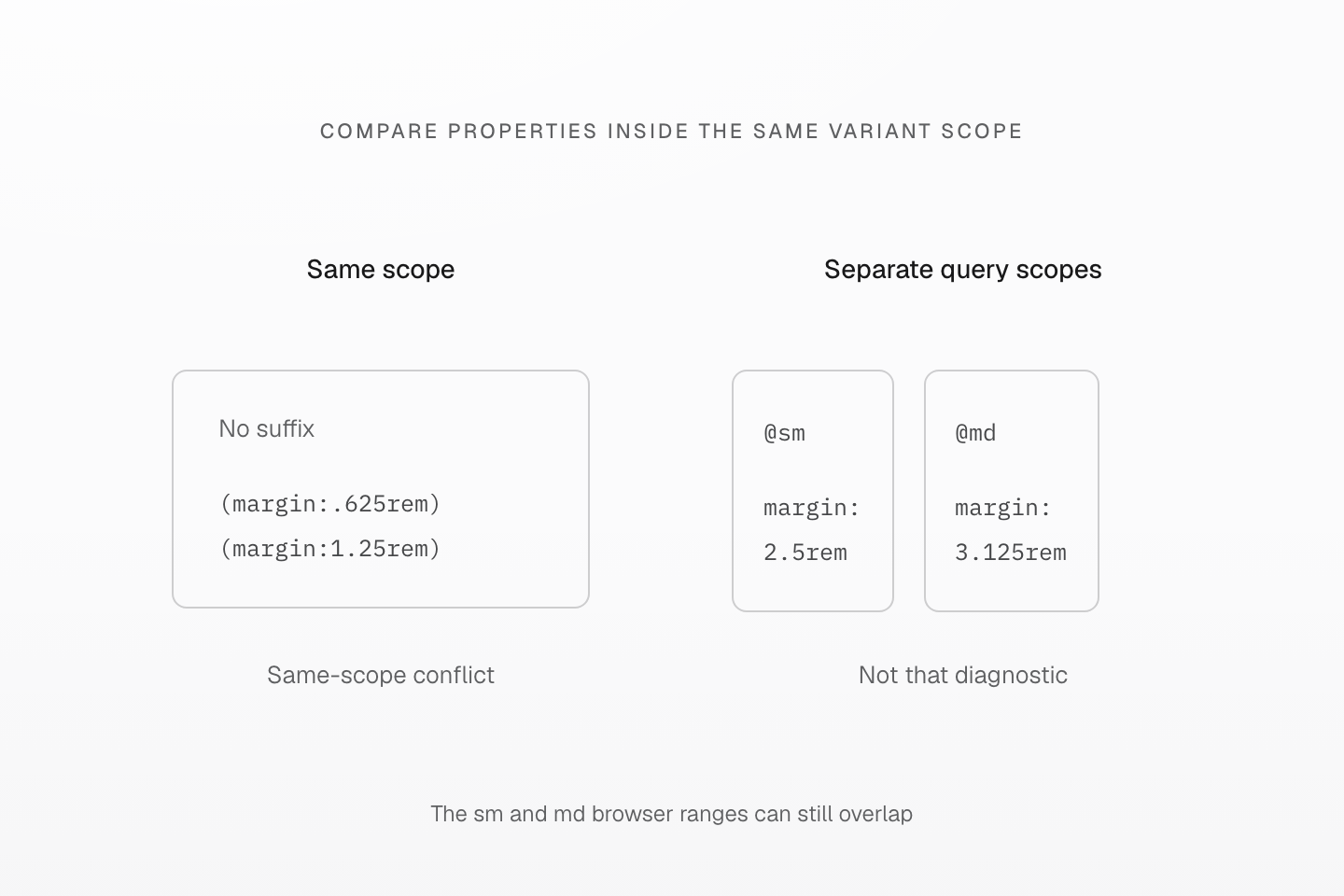
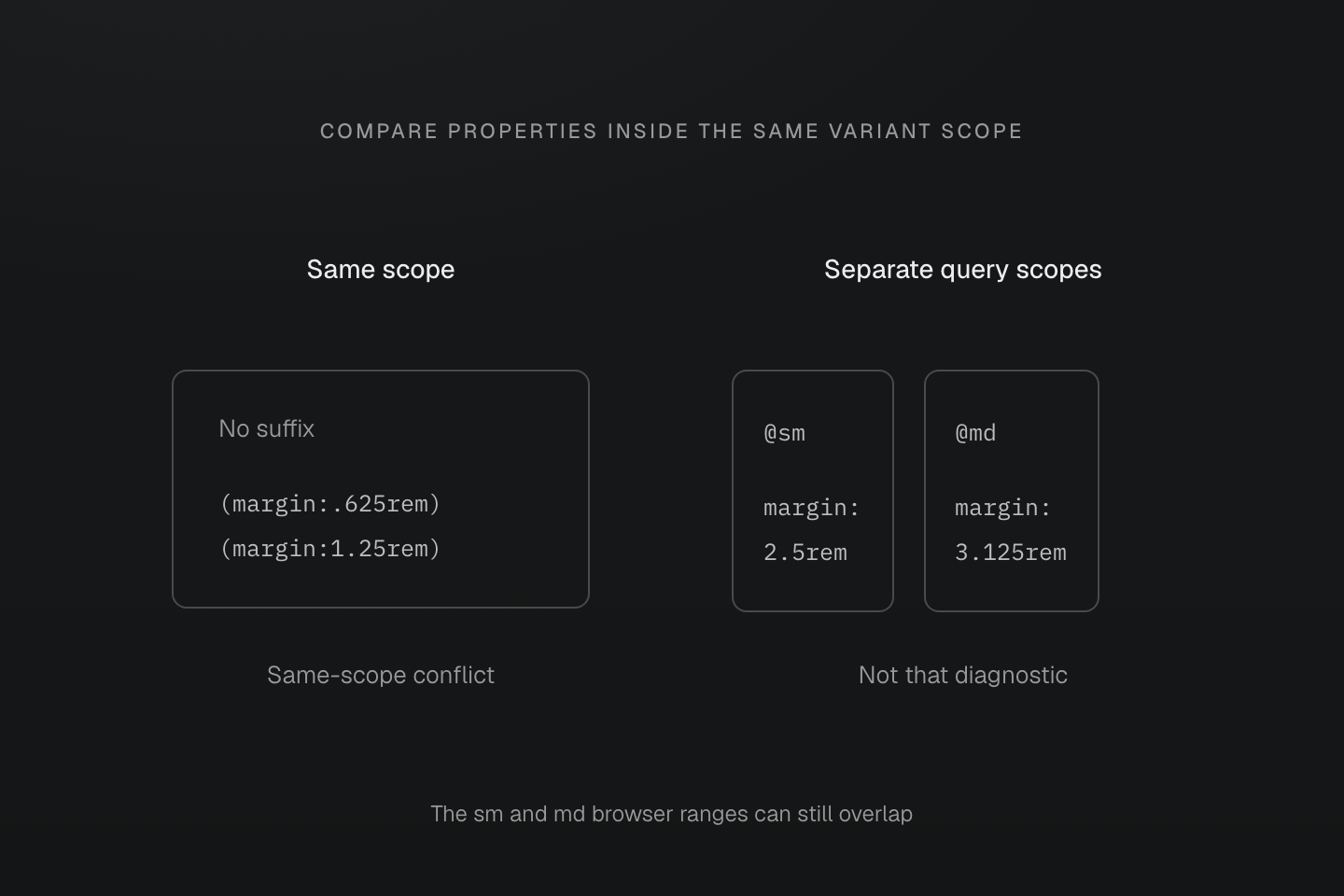
Separate query scopes do not mean disjoint browser ranges. At md, both minimum-width queries can match and the cascade still applies.
Text description
- Two margin declarations in the same selector and condition scope can be diagnosed as a conflict by no-conflicting-classes.
- The sm and md variants shown here have distinct scopes and are not reported as that same-scope conflict.
- This is a diagnostic grouping, not a claim that the two media ranges never overlap or that the authored values are automatically good design choices.
A fully overridden class can be removed automatically. The winner follows generated CSS ordering, not the order of class names in the HTML. Reversing the two margin classes above still leaves (margin:1.25rem) as the winner.
Partial declaration overlaps need review. For example, the top border override below is reported, but the rule does not split the shorthand or remove the other three borders:
b-solid bt-dashedCompare the generated declarations and inspect the element in the browser before removing an intentional override.
A conflict needs a design choice
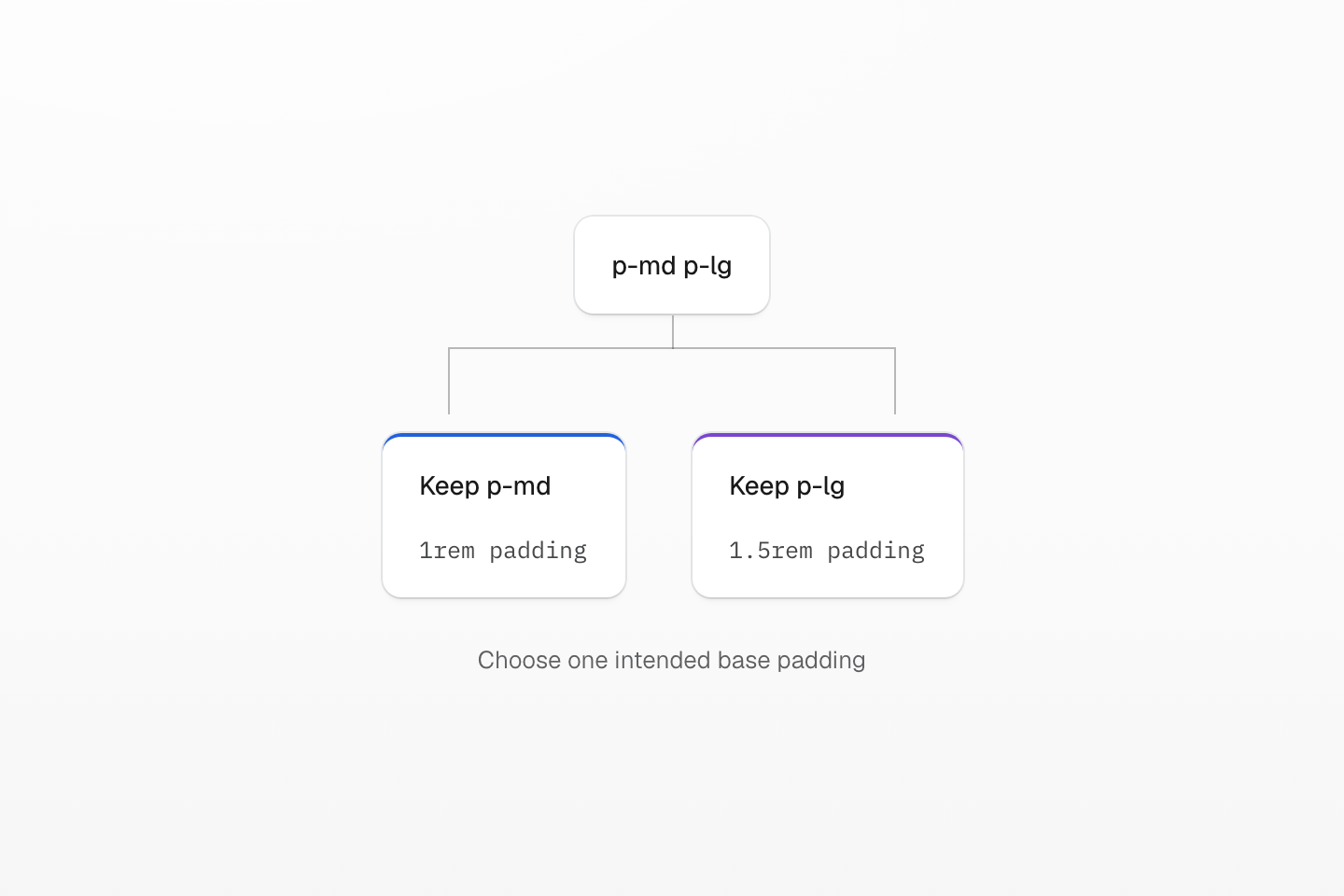
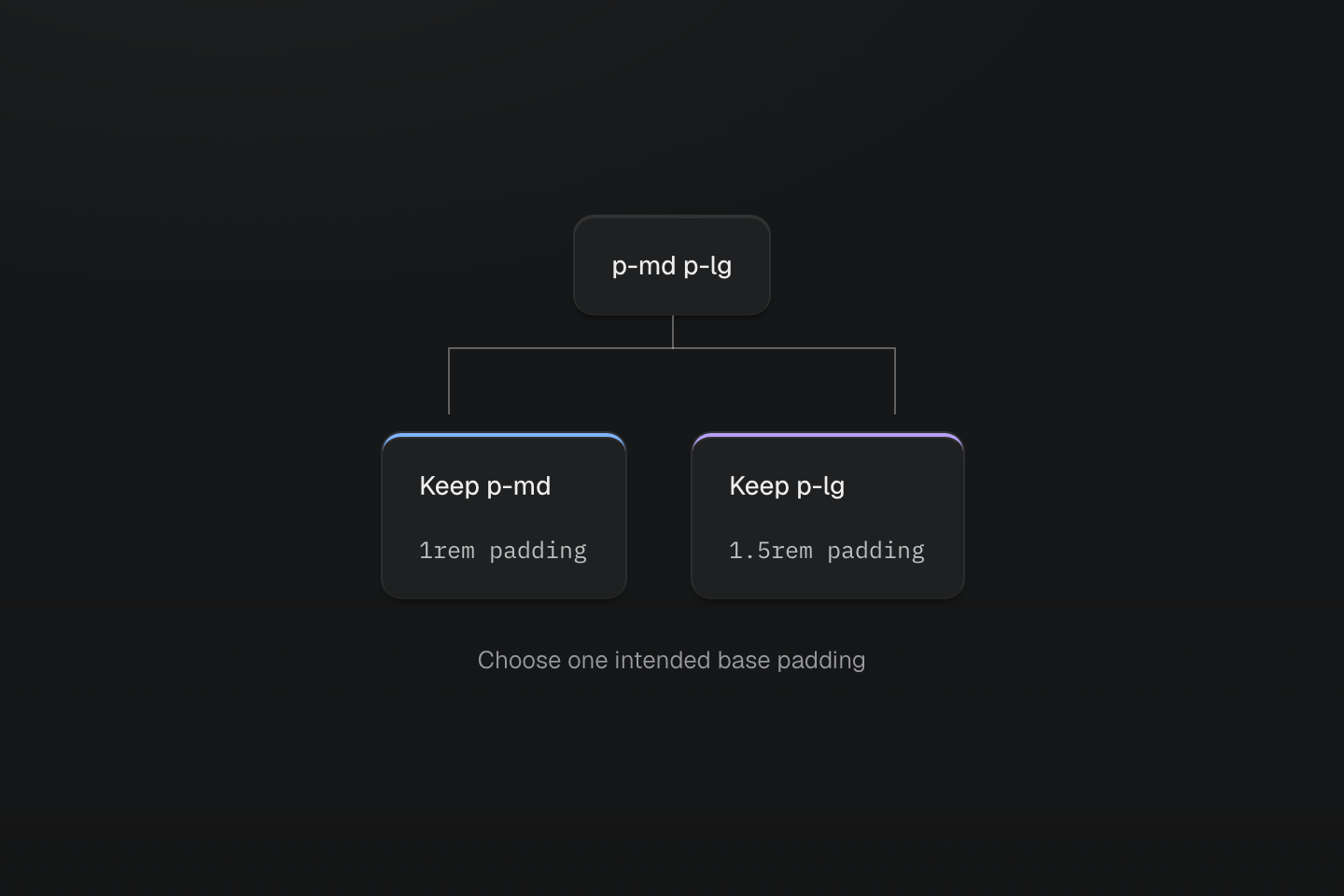
Sorting cannot decide which spacing the design needs. Resolve the competing declaration deliberately.
Text description
A sortable class list has a reversible reordered output. Two conflicting padding classes instead branch to the two possible intended values.
#Supported sources
The plugin checks class strings in class and className attributes, helpers such as clsx and cva, and classList methods. See the settings and their defaults.
Customize settings under the @master/css settings key. Arrays replace their defaults, so include every helper or attribute you want ESLint to inspect:
import { defineConfig } from 'eslint/config'import masterCSS from '@master/eslint-config-css'export default defineConfig([ ...masterCSS, { settings: { '@master/css': { classAttributes: ['class', 'className', 'containerClass'], classFunctions: ['clsx', 'cva'], classDeclarations: ['classes'] } } }])#Team policy
Use stricter validation when the team wants every class to come from Master CSS syntax or the project manifest. disallowUnknownClass rejects unmatched class names; it does not change unknown CSS-value diagnostics:
import { defineConfig } from 'eslint/config'import masterCSS from '@master/eslint-config-css'export default defineConfig([ ...masterCSS, { rules: { '@master/css/no-invalid-classes': ['error', { disallowUnknownClass: true }] } }])<button class="btn">...</button>"btn" is not a valid or known class.
Define intentional project classes in the CSS entry, for example .btn inside @layer components, so they enter the manifest.
Enable raw value policy when the team wants token-backed utilities to use tokens unless a value is explicitly allowed:
import { defineConfig } from 'eslint/config'import masterCSS from '@master/eslint-config-css'export default defineConfig([ ...masterCSS, { rules: { '@master/css/no-unapproved-raw-values': ['warn', { allowProperties: ['width', 'height'], allowedPatterns: ['^var\\(', '^calc\\('] }] } }])(font-size:15px) (margin:17px) (color:#123456)Unexpected raw value "15px" in "(font-size:15px)". Use a token or allow it explicitly.
The rule has no autofix: a token with the same current value is not necessarily the right role. See its options to scope the policy to selected properties.
When one element styles many others through combinators, the class list has become a component. Enable prefer-component-classes to report lists in which more than max classes (default 3) reach other elements:
import { defineConfig } from 'eslint/config'import masterCSS from '@master/eslint-config-css'export default defineConfig([ ...masterCSS, { rules: { '@master/css/prefer-component-classes': 'warn' } }])flex block_h4 hidden_h4 grid_svg flex>li4 classes style other elements through combinators ("_h4", "_svg", ">li"); the limit is 3. Move them into a component class in @layer components.
States of the element itself, relative selectors inside :has() or :is(), and conditions such as @sm do not count. Move the rules into a component class.
#Native component CSS
To check token references in native CSS, run master-css inspect --design-system and pass route stylesheets imported from JavaScript as source paths; ESLint checks class lists only.
#Editor feedback
For class completion and hover information, follow Language service. ESLint owns the lint rules and sort-on-save configuration; both tools can use the same project definitions.
#Lint from scripts and AI tools
Keep eslint . in development and CI scripts; for JSON diagnostics without an ESLint parser, use master-css lint, and for agents, mastercss_lint_project.