Selectors
Selector attachment, related elements, lists, literal encoding and specificity.
On this page
A selector suffix determines which element or pseudo-element receives a class's declarations. The element carrying the complete class is the starting point: a suffix can test that element, select a related element, or do both.
This page defines selector attachment, encoding, grouping and specificity. The Syntax tutorial teaches how to add hover and keyboard-focus styles to a component; CSS selectors defines native matching behavior.
Selector attachment
Append the selector to a registered utility or to the closing parenthesis of a native declaration. Place any condition after the selector, and importance at the end:
utility<selector><conditions>!(property:value)<selector><conditions>!The angle-bracket parts and ! above are optional syntax placeholders. For example, underline:hover@sm applies the underline when the class-bearing element is hovered and the viewport matches @sm. The condition does not change which element the selector targets.
Generated CSS
@layer utilities { @media (width >= 52.125rem) { .underline\:hover\@sm:hover { text-decoration-line: underline } } @media (width >= 52.125rem) { .\(text-decoration-thickness\:2px\)\:hover\@sm:hover { text-decoration-thickness: 2px } }}Master CSS escapes the complete class name in the generated CSS selector. The colon inside .underline\:hover is part of that literal class name; the appended :hover is the actual pseudo-class. Write the unescaped class in HTML, as shown in the examples.
Matching the class-bearing element
Without a combinator, the suffix adds a requirement to the element carrying the class. underline.active matches only an element with both underline.active and active in its class list.
<a class="underline.active active" href="/guide/installation">Installation</a>| Class | Requirement on the class-bearing element |
|---|---|
underline.active | Also has the class active |
underline#current | Has the ID current |
underline[data-current] | Has the attribute data-current |
underline:hover | Matches the browser's hover state |
underline:is(a) | Is an a element |
Generated CSS
@layer utilities { .underline\#current#current { text-decoration-line: underline } .underline\:is\(a\):is(a) { text-decoration-line: underline } .underline\[data-current\][data-current] { text-decoration-line: underline } .underline\:hover:hover { text-decoration-line: underline } .underline\.active.active { text-decoration-line: underline }}For a type check on the same element, use :is(a) or :where(a). To select its children, use >a or >*. A bare tag name immediately after a utility name is not a separate selector suffix.
Combined requirements
Adjacent simple selectors describe the same element. underline:hover:not([aria-disabled=true]) requires hover and excludes an element whose aria-disabled attribute is true. It does not set or update that attribute.
Generated CSS
@layer utilities { .underline\:hover\:not\(\[aria-disabled\=true\]\):hover:not([aria-disabled=true]) { text-decoration-line: underline }}Selectors respond to DOM and browser state; they do not create interaction behavior. Native attributes and ARIA retain their own semantics. In particular, aria-disabled="true" describes a disabled state but does not itself prevent activation.
Related elements
A combinator moves from the class-bearing element to another element. The declaration is applied to the element at the end of the selector, rather than inherited from the class-bearing element.
| Class | Target |
|---|---|
underline_a | Descendant links at any depth |
underline>a | Direct child links |
underline+a | The next element sibling, if it is a link |
underline~a | All later sibling links with the same parent |
underline>* | Every direct child element |
_ encodes the descendant space between selectors. An actual space in HTML would start another class. >, + and ~ keep their native CSS meanings.
Generated CSS
@layer utilities { .underline\+a + a { text-decoration-line: underline } .underline\>\* > * { text-decoration-line: underline } .underline\>a > a { text-decoration-line: underline } .underline_a a { text-decoration-line: underline } .underline\~a ~ a { text-decoration-line: underline }}A child selector stops at the first level
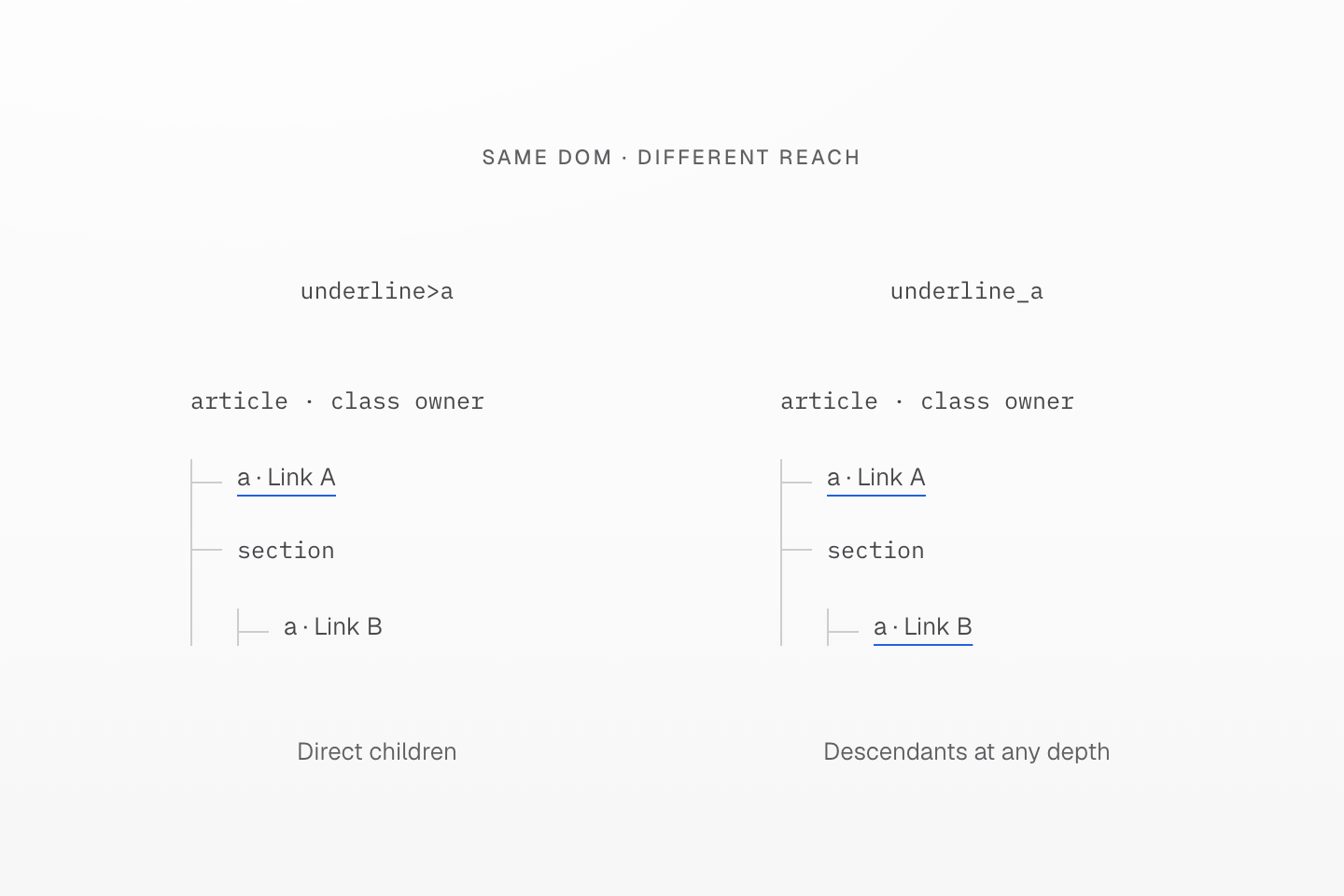
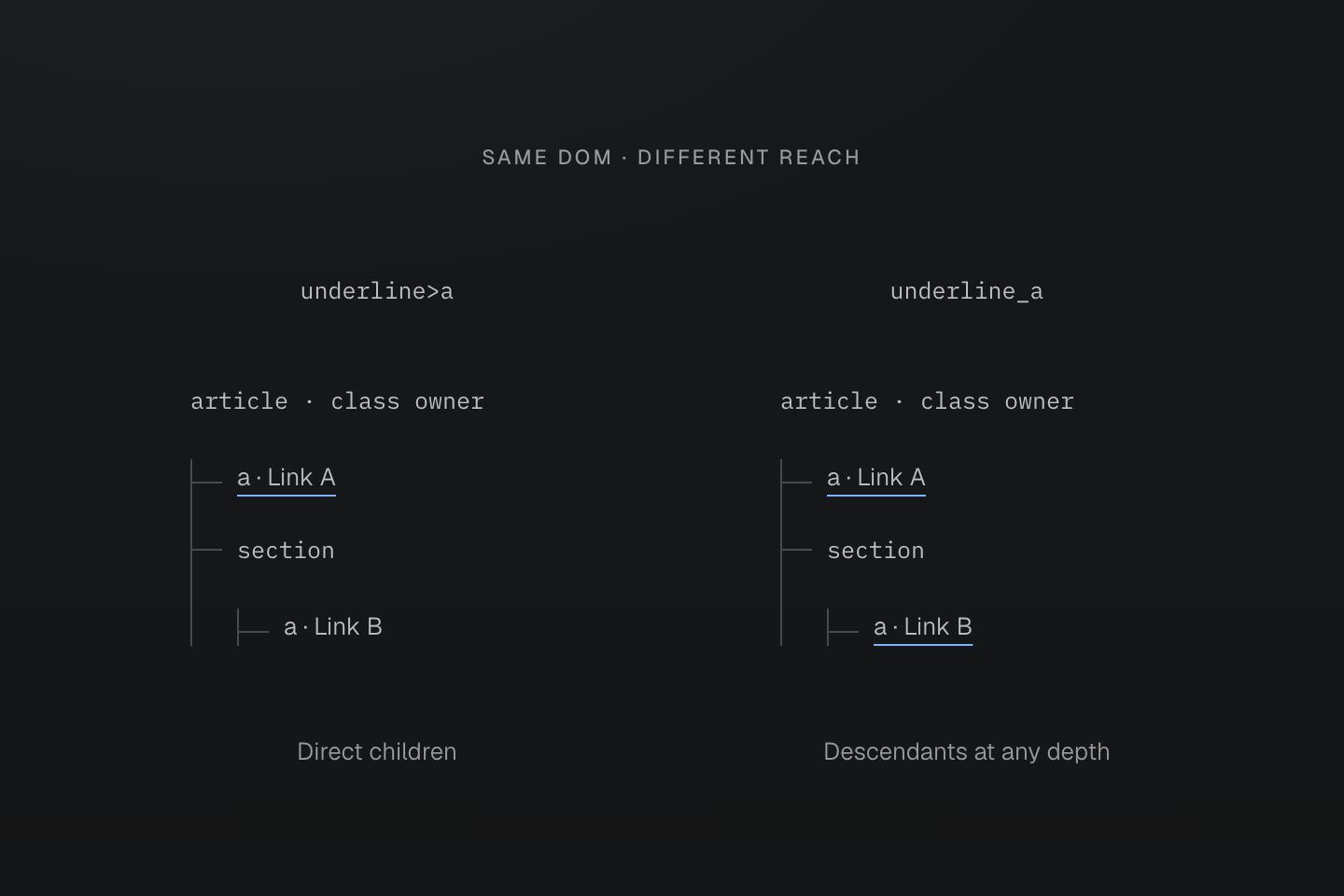
The trees have identical structure. Underlining marks the actual target links; indentation and connecting branches show their depth.
Text description
- The class-bearing article contains link A and a section containing link B.
- underline>a underlines only direct child link A. underline_a underlines both A and B because both are descendant links.
- The declarations target those links directly; the diagram does not represent inherited text decoration from the article.
Sibling selectors look forward from the owner
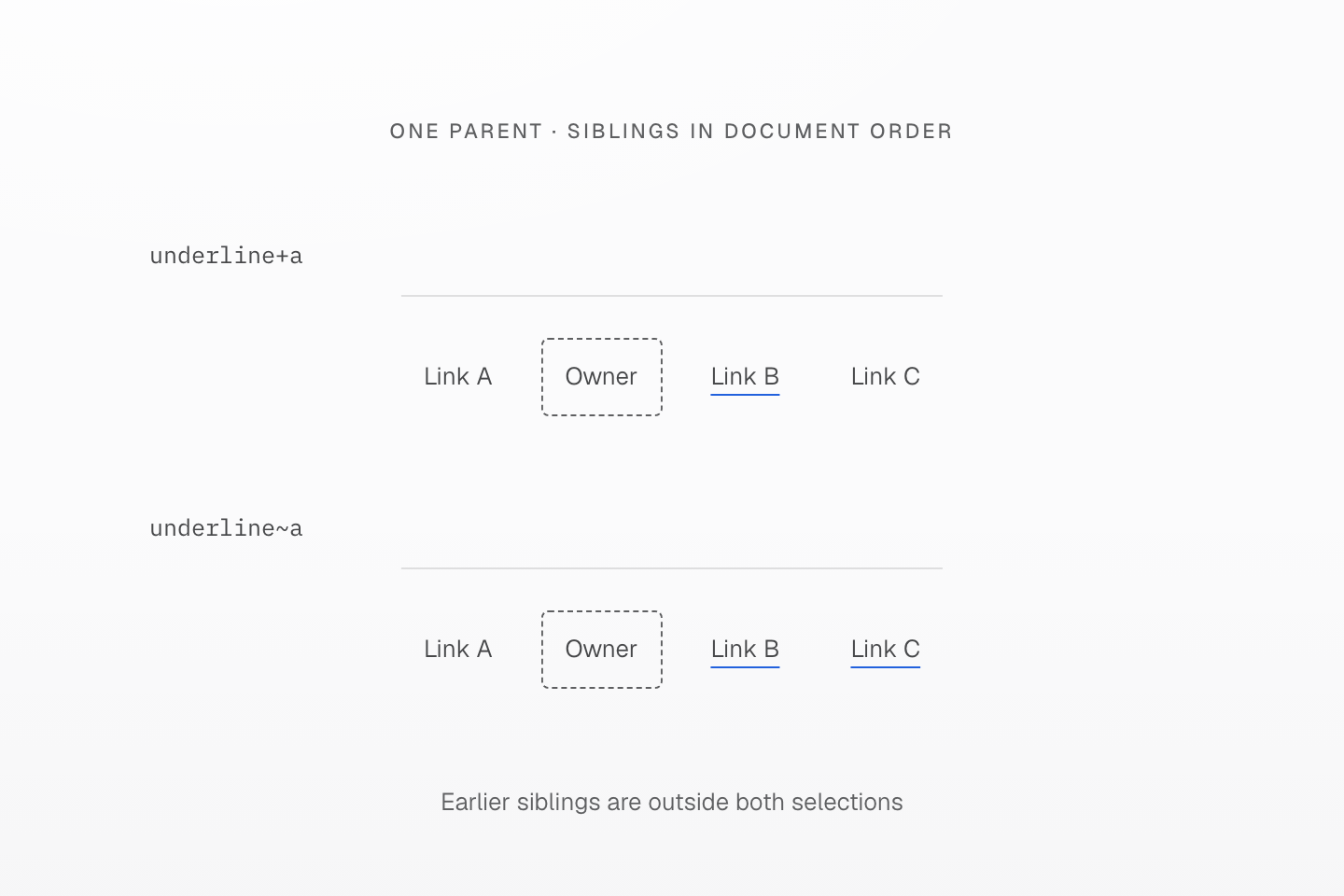
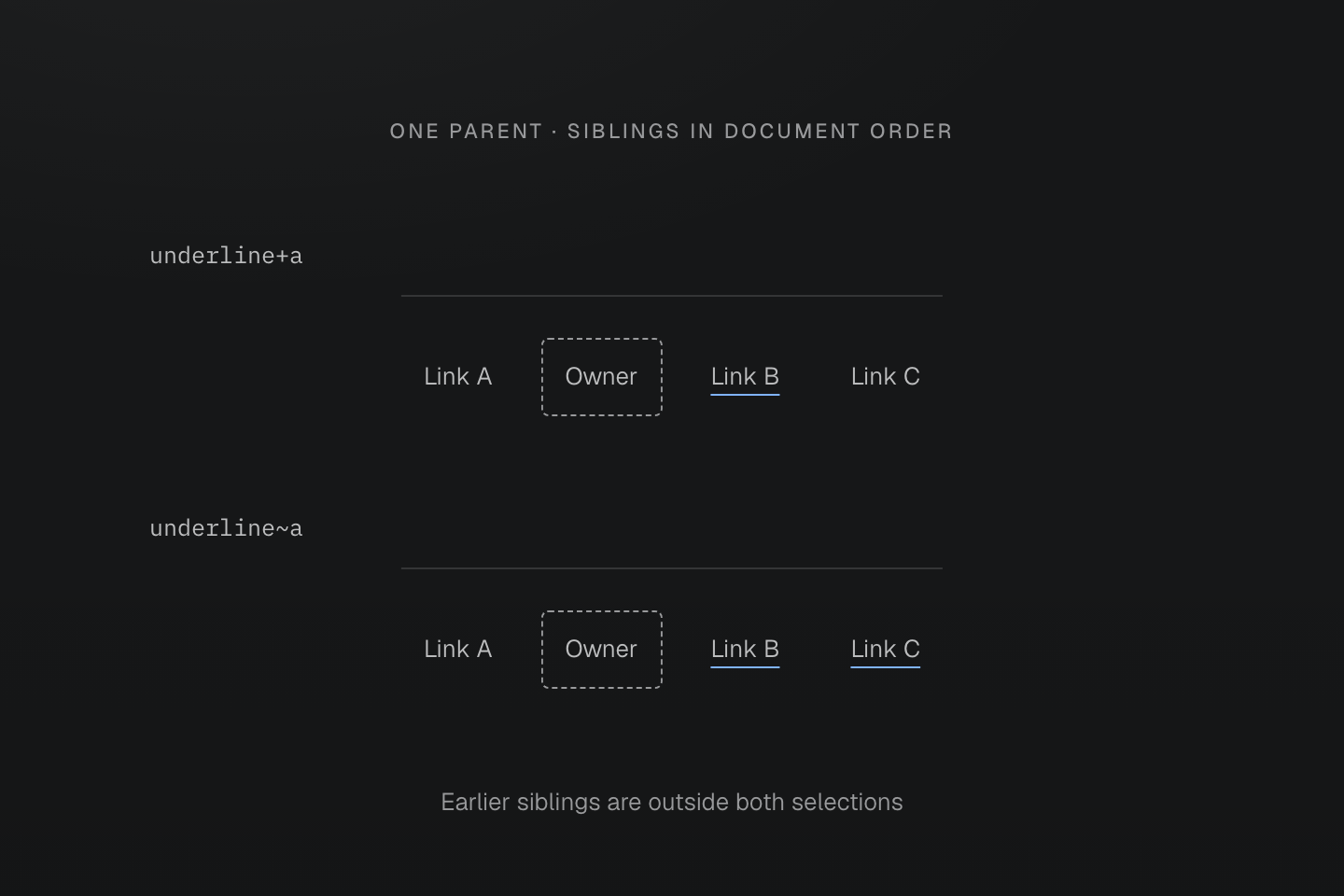
Every node in a row has the same parent. The outlined owner carries the class; underlines identify the selected links.
Text description
- The sibling order is link A, the class-bearing element, link B and link C.
- underline+a selects B, the next element sibling. underline~a selects B and C, the later sibling links.
- Neither selector selects earlier sibling A. If the next element were not a link, +a would select nothing.
State position
The position of a state determines which element must match it. These two classes share the same parent-to-child relationship but test hover at different points:
| Class on the article | Hover requirement | Underlined links |
|---|---|---|
underline:hover>a | The article is hovered | All direct child links |
underline>a:hover | A direct child link is hovered | That link only |
The same hover, different targets
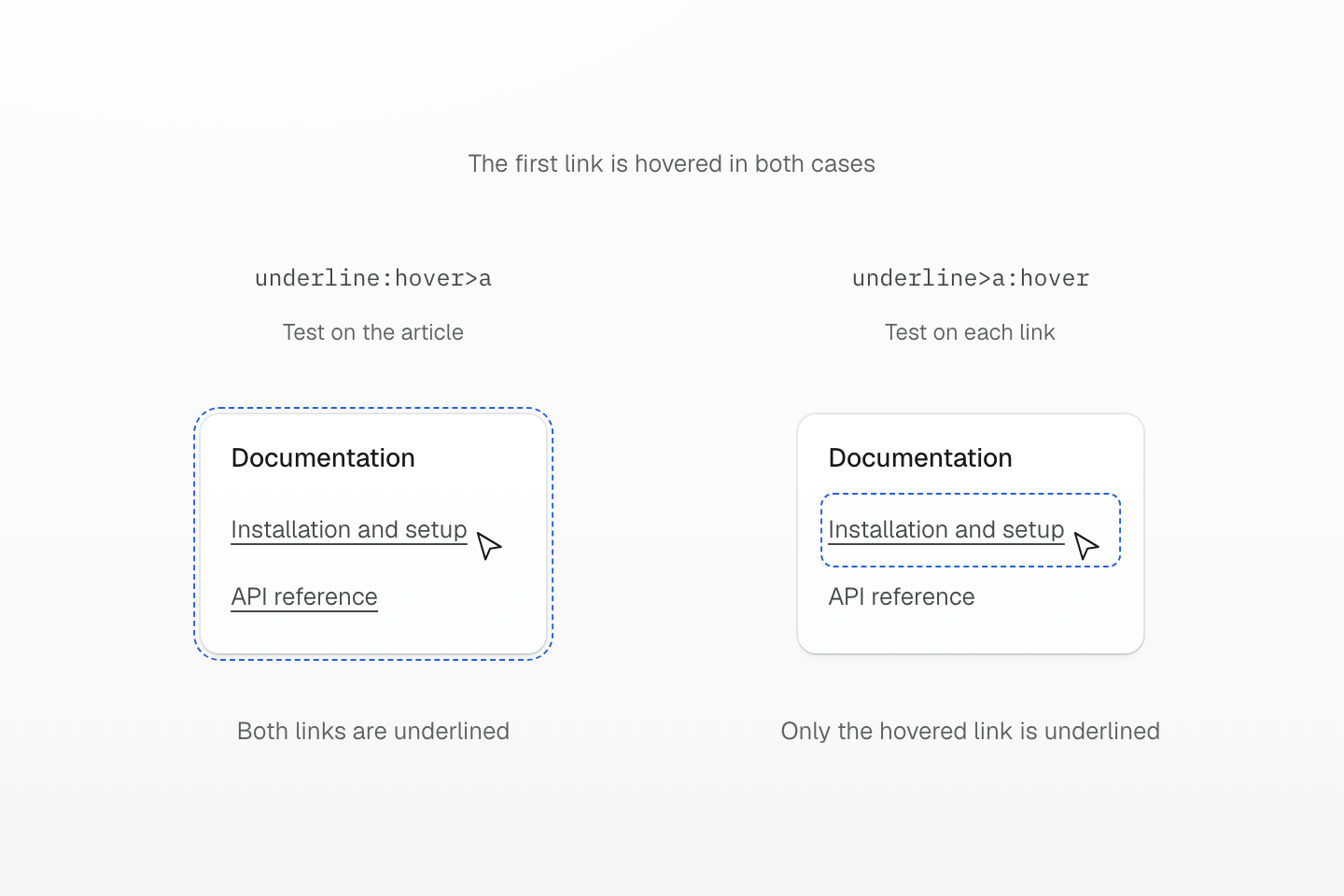
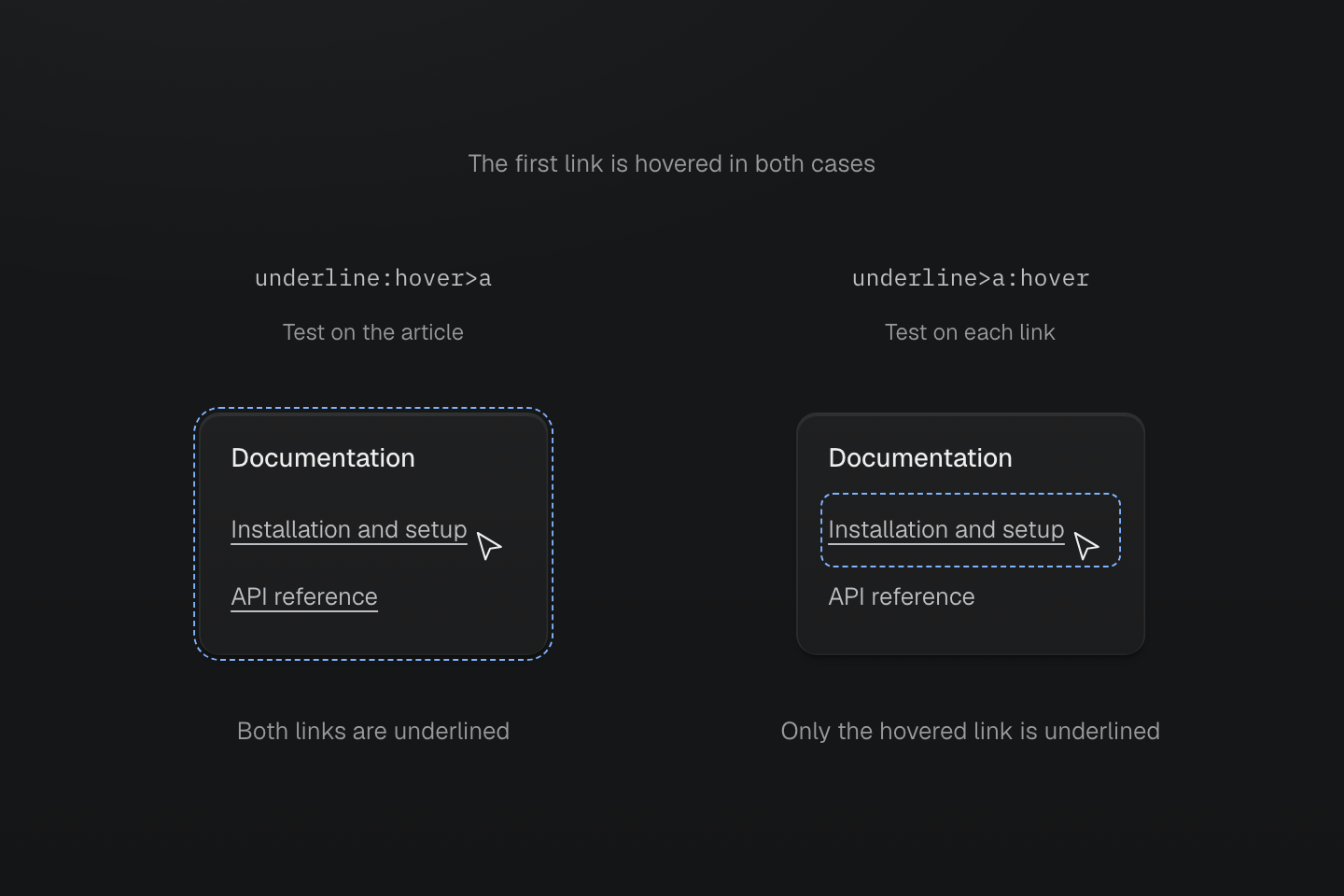
The first link is hovered in both specimens. Dashed blue contours identify the element matching the suffix’s :hover test, not a generated border.
Text description
- Both articles carry the utility class and contain the same two direct child links. Their first link is hovered; both ancestor articles therefore also match :hover.
- underline:hover>a tests the article, then selects its direct child links. Both links receive text-decoration-line: underline.
- underline>a:hover selects direct child links, then tests each link. Only the hovered first link receives the declaration.
- The dashed blue contours identify the element matching the hover test. They do not represent a generated border or imply that the second article is not hovered.
<article class="underline:hover>a"> <p>Documentation</p> <a class="(text-decoration-line:none)" href="/guide/installation">Installation and setup</a> <a class="(text-decoration-line:none)" href="/reference/packages">API reference</a></article><article class="underline>a:hover"> <p>Documentation</p> <a class="(text-decoration-line:none)" href="/guide/installation">Installation and setup</a> <a class="(text-decoration-line:none)" href="/reference/packages">API reference</a></article>Generated CSS
@layer utilities { .\(text-decoration-line\:none\) { text-decoration-line: none } .underline\:hover\>a:hover > a { text-decoration-line: underline } .underline\>a\:hover > a:hover { text-decoration-line: underline }}Hovering a link also hovers its ancestor article. In the first example, that makes both links eligible; in the second, the other link still fails its own :hover test. The article owns each class, but the declarations target its links. The link classes remove the default underline; the more specific parent-to-child selectors restore it when their hover tests match.
Selector lists
A top-level comma starts another branch from the same class-bearing element. Repeat each branch's combinator: block>div,>span targets direct div children and direct span children. The second branch does not continue from the first branch's target.
<section class="block>div,>span"> <div>First child</div> <span>Second child</span></section>Generated CSS
@layer utilities { .block\>div\,\>span > div, .block\>div\,\>span > span { display: block } .\(content\:\'“\'\)\:\:before\,\:\:after::before, .\(content\:\'“\'\)\:\:before\,\:\:after::after { content: '“' }}Commas inside functions or quoted attribute values stay inside those constructs. underline:is(:hover,:focus-visible) contains one selector suffix with two alternatives, rather than two top-level branches.
Generated CSS
@layer utilities { .underline\[data-label\=\'draft\,review\'\][data-label='draft,review'] { text-decoration-line: underline } .underline\:is\(\:hover\,\:focus-visible\):is(:hover, :focus-visible) { text-decoration-line: underline }}A selector list restarts at the class owner
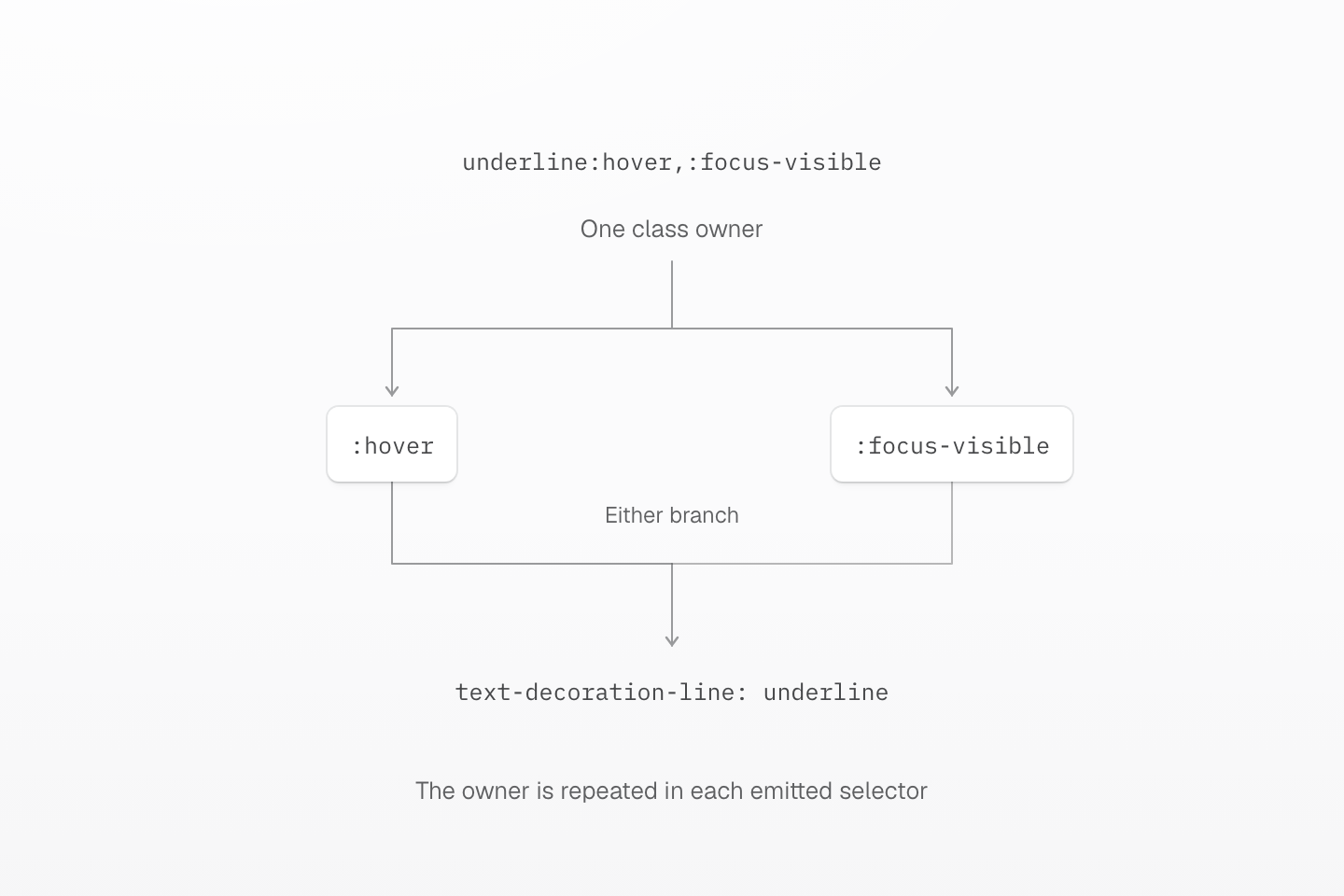
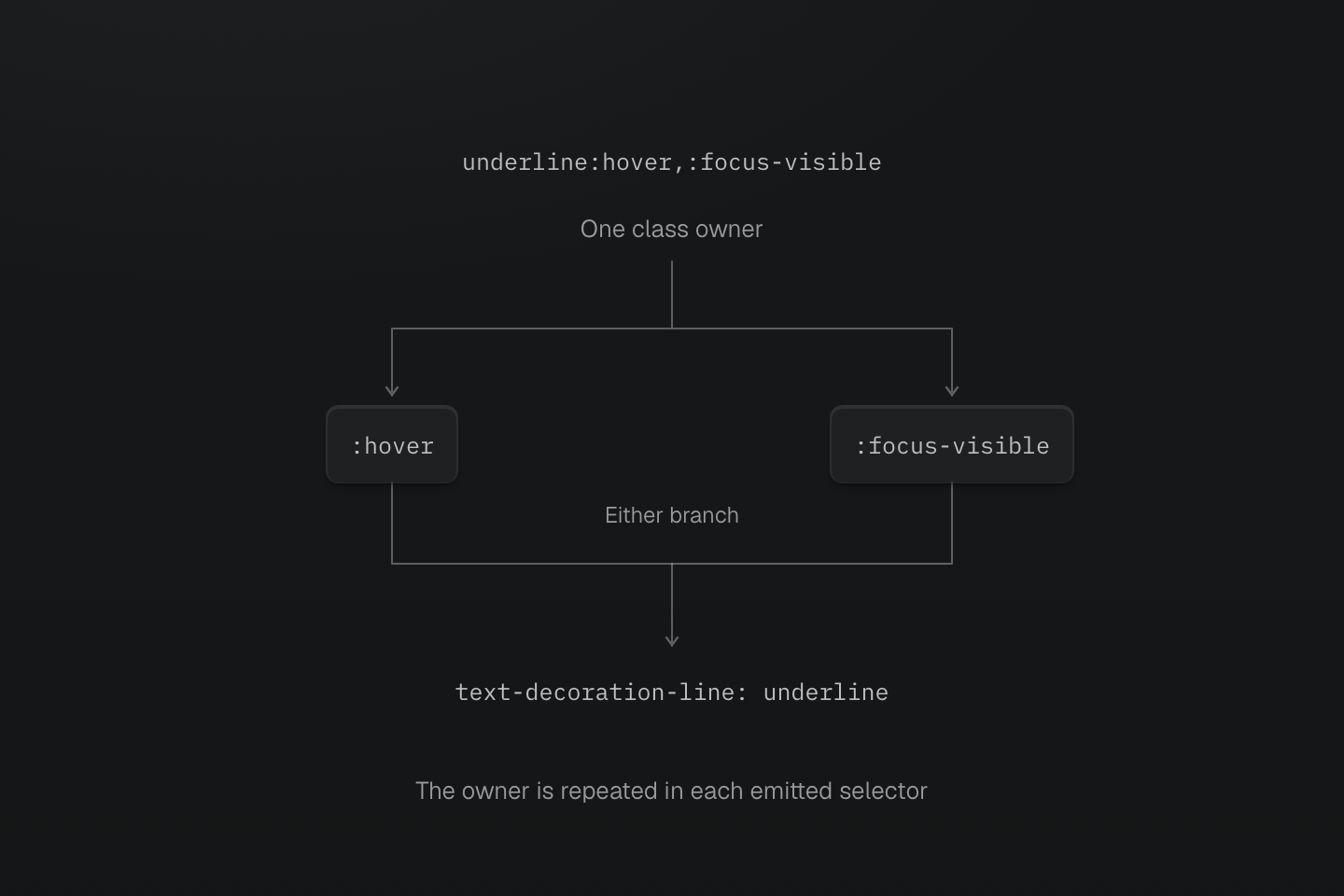
The comma separates alternatives. Each selector starts from the class-bearing element; either state can match.
Text description
- underline:hover,:focus-visible generates a selector list with the complete escaped class owner repeated in each branch.
- Hover and focus-visible are alternatives, not a requirement to match both states. The declaration is shared by the two branches.
Selector functions
| Function | Matching behavior |
|---|---|
:is(...) | Matches at least one selector in the list |
:where(...) | Matches like :is(), with zero specificity from the function and its arguments |
:not(...) | Excludes elements matching any selector in the list |
:has(...) | Tests for a relative match from the element being selected |
:has() tests a relationship without moving the declaration to the matched relative. b-blue-60:has(>input:checked) sets the label's border color when its direct child input is checked:
<label class="b(1) b-solid b-line-control b-blue-60:has(>input:checked)"><input type="checkbox" />Include archived items</label>Generated CSS
@layer theme { :root, :host { --color-blue-60: oklch(51.83% .2687 266.1) }}@layer utilities { .b-blue-60\:has\(\>input\:checked\):has(>input:checked) { border-color: var(--color-blue-60) } .underline\:has\(\+input\:checked\):has(+input:checked) { text-decoration-line: underline }}A relative match can also be a sibling: underline:has(+input:checked) underlines the class-bearing element when the next element sibling is a checked input. Native :has() restrictions still apply; nesting :has() inside itself is invalid. For a working checkbox example and a usable fallback, see Compatibility.
has() tests the child and styles the owner
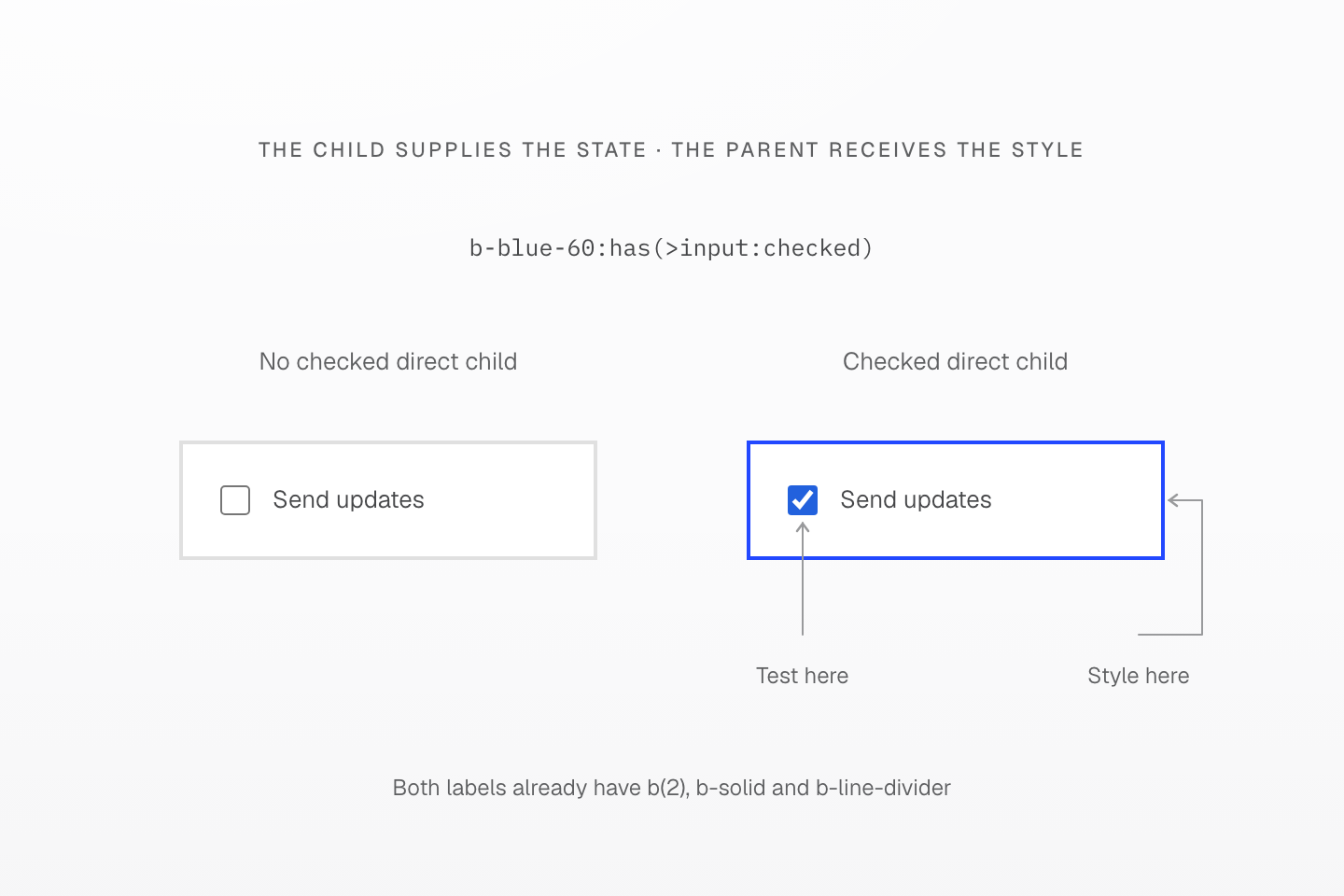
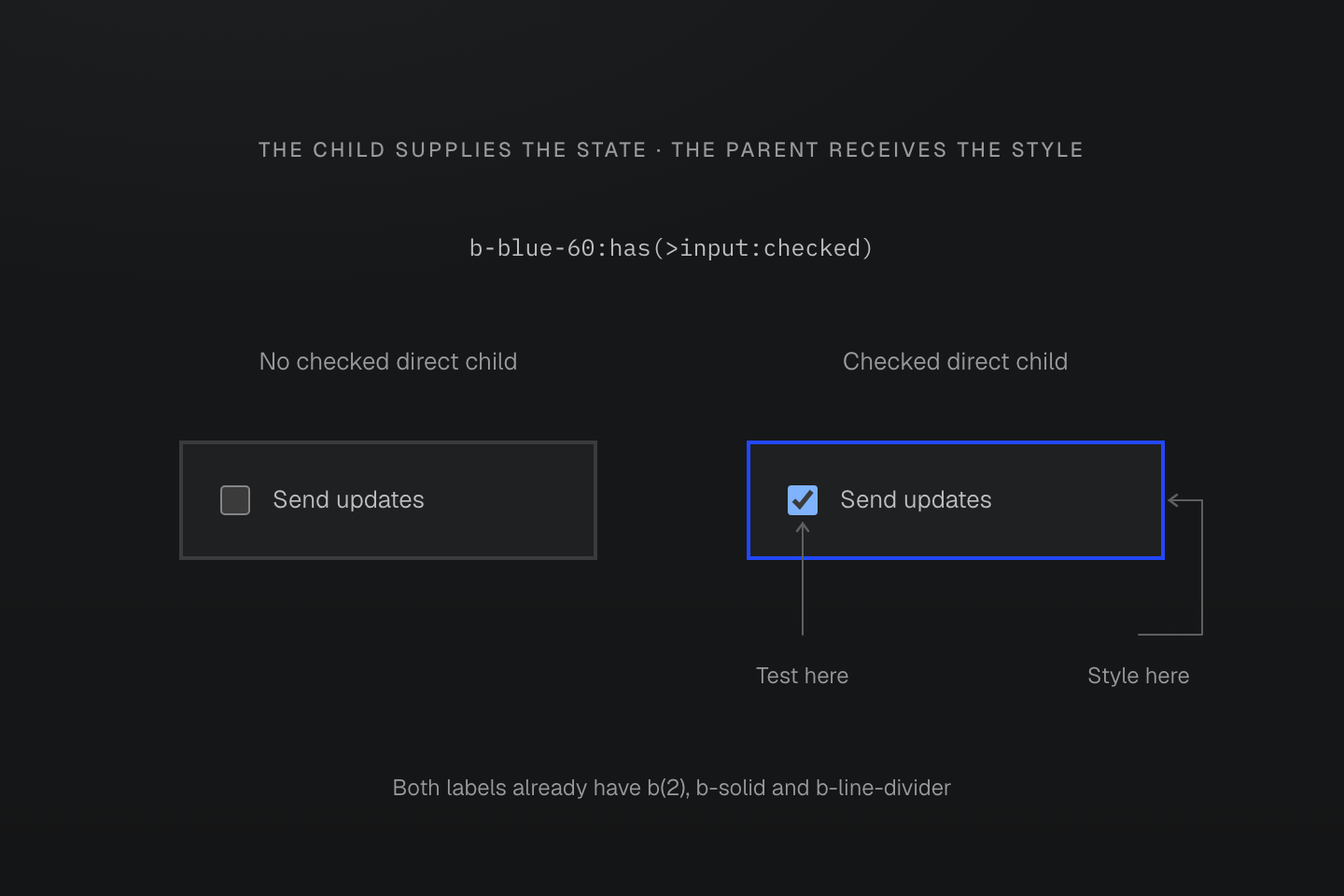
The class is on the label. The input’s checked state is the test; the label receives border-color.
Text description
- b-blue-60:has(>input:checked) tests whether the class-bearing element has a checked direct child input.
- When it matches, the border color changes on the owner label, not on the input. The input is shown inside that same boundary to distinguish the test location from the style target.
Native states
Master CSS preserves native pseudo-class names. The following are common suffixes, not an exhaustive state registry:
| Suffix | Native matching context |
|---|---|
:hover, :active | Pointer hover or activation |
:focus, :focus-visible, :focus-within | Focus on the element, visible focus indication, or focus within it |
:first-child, :last-child, :nth-child(even) | Position among element siblings |
:valid, :invalid, :required | Native form constraints |
:disabled | Disabled form controls |
:checked, :indeterminate | Native control state |
:dir(rtl), :dir(ltr) | Resolved text direction |
Use complete names such as :first-child and :nth-child(odd). A spelling that Master CSS emits can still be unsupported or invalid in the browser. The native pseudo-class reference owns each state's detailed behavior.
<ul> <li class="bg-surface-inset:nth-child(even)">Draft</li> <li class="bg-surface-inset:nth-child(even)">In review</li> <li class="bg-surface-inset:nth-child(even)">Published</li></ul>Generated CSS
@layer theme { :root, :host { --color-zinc-5: oklch(96.5% .0011 265); --color-zinc-100: oklch(15% .0016 265) } :root, :host { --color-surface-inset: light-dark(var(--color-zinc-5), var(--color-zinc-100)) } :root, :host { --spacing-xs: .5rem }}@layer utilities { .bg-surface-inset\:nth-child\(even\):nth-child(even) { background-color: var(--color-surface-inset) } .mr-xs\:dir\(rtl\):dir(rtl) { margin-right: var(--spacing-xs) } .\(opacity\:\.5\)\:disabled:disabled { opacity: .5 }}Attribute selectors
Attribute suffixes test the DOM value. A boolean-style attribute selector tests presence: [open] matches an expanded details element, and [data-active] matches whenever that attribute exists. To test a particular state value, include the value, as in [aria-pressed=true].
| Suffix | Match |
|---|---|
[data-active] | Attribute is present, even with an empty value |
[aria-pressed=true] | Exact value true |
[href^=https] | Value starts with https |
[href$='.pdf'] | Value ends with .pdf |
[title*=master] | Value contains master |
[lang|=en] | Value is en or begins en- |
[title~=css] | Whitespace-separated value contains the word css |
An exact attribute value differs from a word match
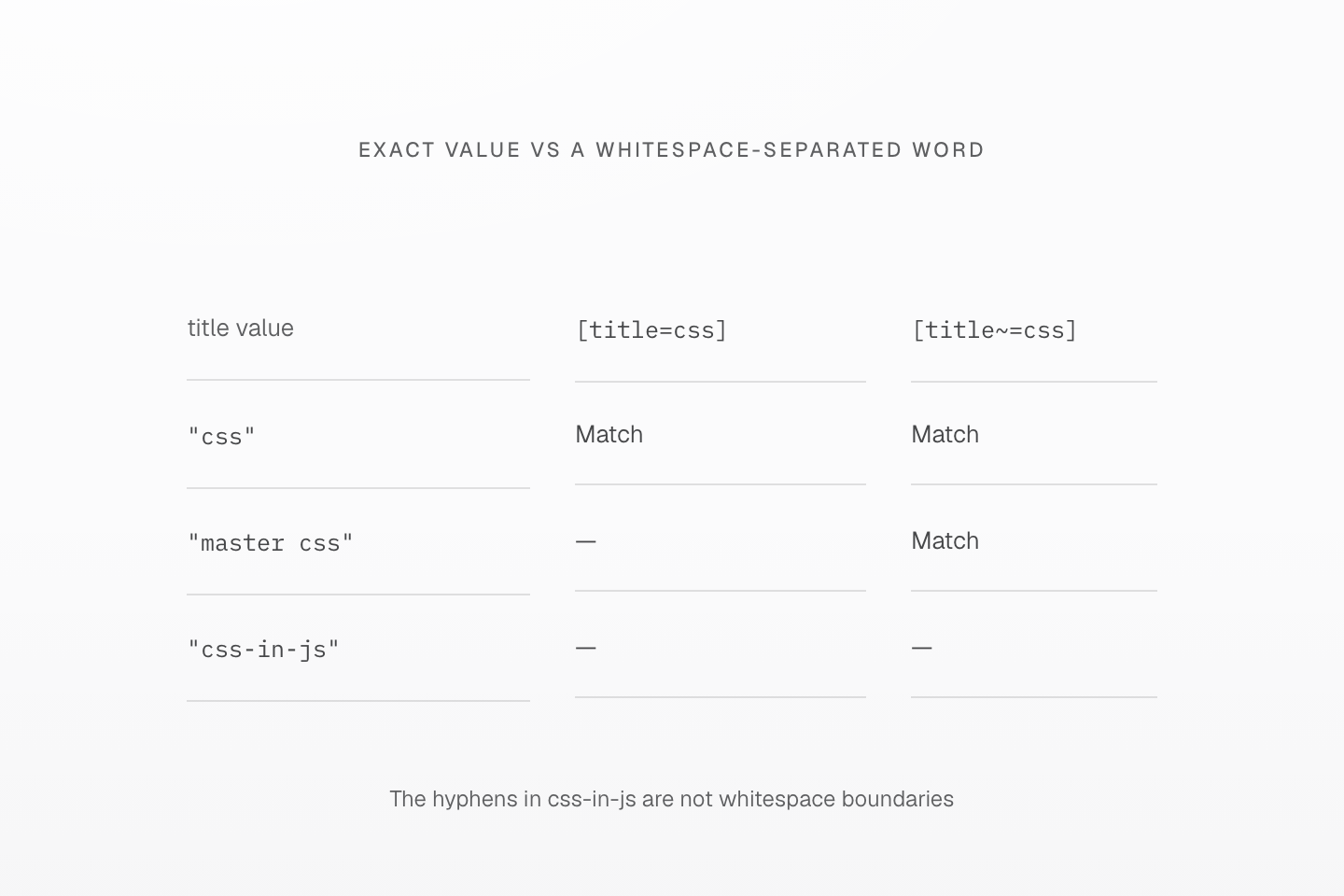
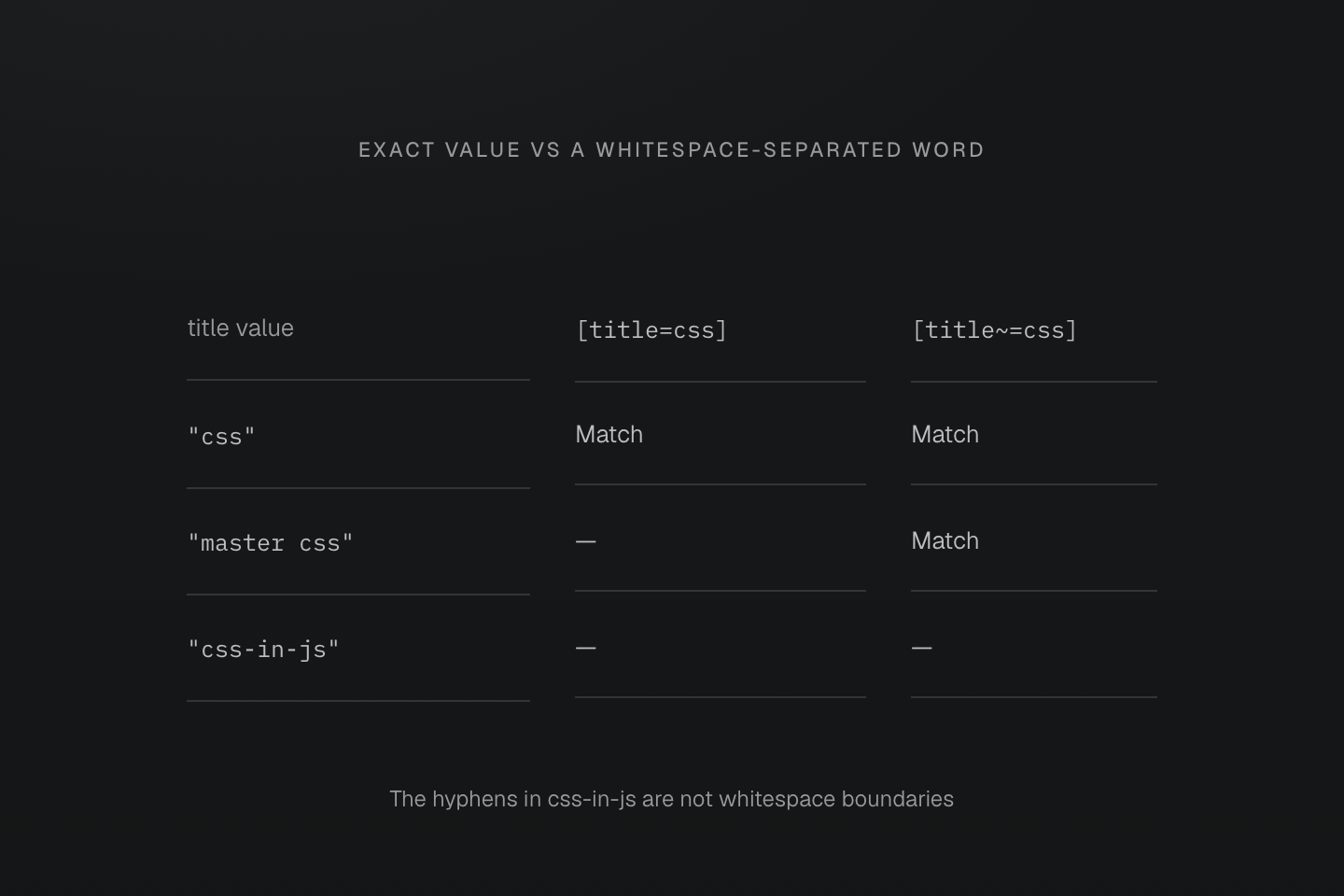
Each row tests the same DOM attribute value against two suffixes. A hyphen does not make a whitespace word boundary.
Text description
- [title=css] matches only the exact value css. [title~=css] matches a whitespace-separated word equal to css.
- Both selectors match css. Only the word selector matches master css. Neither matches css-in-js.
- The selectors test attributes; they neither split a class string nor edit the attribute value.
Quoted attribute text remains literal: underline[data-state=':first']:first-child tests the value :first and separately tests the element's position. An underscore in [data-id='a_b'] stays inside the value; an escaped underscore in .is\_active stays in the class identifier.
<a class="underline[data-state=':first']:first-child" data-state=":first" href="/guide">Guide</a><a class="underline.is\_active is_active" href="/reference">Reference</a>Generated CSS
@layer utilities { .underline\.is\\_active.is\_active { text-decoration-line: underline } .underline\[data-id\=\'a_b\'\][data-id='a_b'] { text-decoration-line: underline } .underline\[data-state\=\'\:first\'\]\:first-child[data-state=':first']:first-child { text-decoration-line: underline }}CSS quotes do not prevent HTML whitespace from splitting a class. Use a CSS escape for a literal space in an attribute value, such as [data-label='New\000020collection']. A quoted value can be followed directly by a case flag, as in [data-kind='draft'i] for an ASCII case-insensitive match. See attribute selectors for native operators and case matching.
Generated CSS
@layer utilities { .underline\[data-kind\=\'draft\'i\][data-kind='draft' i] { text-decoration-line: underline } .underline\[data-label\=\'New\\000020collection\'\][data-label='New\000020collection'] { text-decoration-line: underline }}Pseudo-elements
A pseudo-element suffix targets that pseudo-element rather than its originating element. For generated content, write the content declaration explicitly:
<span class="(content:open-quote)::before (content:close-quote)::after">Keep the interface clear.</span>Generated CSS
@layer utilities { .\(background-color\:currentcolor\)\:\:-webkit-scrollbar-thumb::-webkit-scrollbar-thumb { background-color: currentcolor } .\(content\:close-quote\)\:\:after::after { content: close-quote } .\(content\:open-quote\)\:\:before::before { content: open-quote }}Generated content belongs to the pseudo-elements
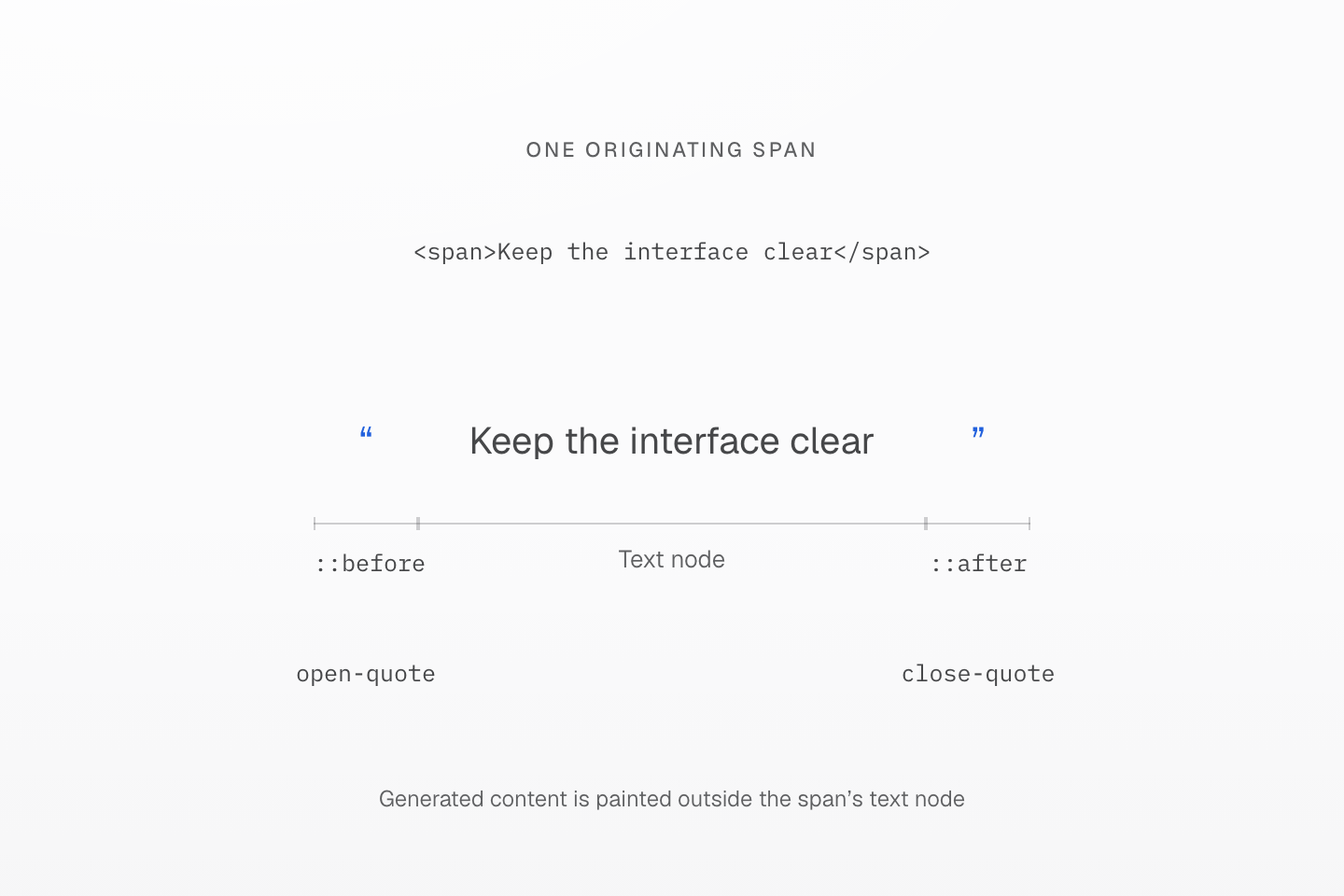
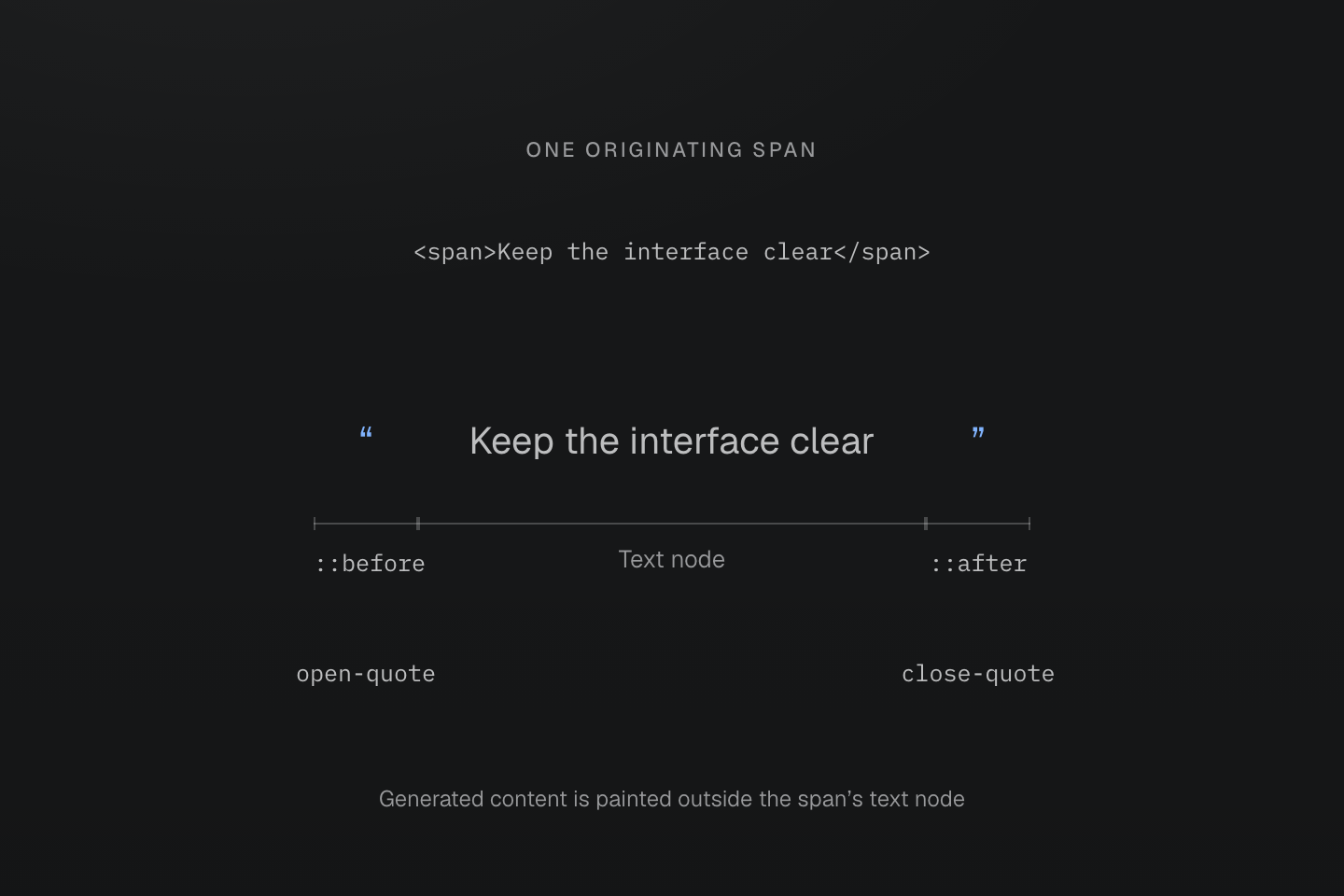
Quotes are generated by real ::before and ::after content declarations. The three brackets identify parts of one rendered element, not three DOM children.
Text description
- The span contains the text Keep the interface clear. Its (content:open-quote)::before and (content:close-quote)::after classes supply the visible quote marks.
- Each declaration targets its pseudo-element. Master CSS does not create separate child elements or add a content declaration just because a pseudo-element suffix is present.
Write vendor-specific selectors explicitly. Master CSS preserves their spelling; it does not expand a pseudo-element into vendor variants or supply browser support. For quoted values containing parentheses, see native declaration boundaries.
Specificity
The generated selector follows the browser's specificity rules. Its escaped class name contributes one class selector, regardless of punctuation inside that name. The appended suffix contributes separately.
| Class, ID – class/attribute/state – type/pseudo-element | CSS |
|---|---|
underline | 0-1-0 |
underline:hover | 0-2-0 |
underline>a | 0-1-1 |
underline:where(:hover,#selected) | 0-1-0 |
underline:is(:hover,#selected) | 1-1-0 |
:is(), :not() and :has() use the most specific argument in their selector list. :where() adds no specificity, including from its arguments. Combinators and the universal selector add none. These weights apply after the cascade has resolved origin, importance and layer precedence; a higher-specificity selector does not automatically defeat a rule in another layer.
Generated CSS
@layer utilities { .underline\:is\(\:hover\,\#selected\):is(:hover, #selected) { text-decoration-line: underline } .underline\:where\(\:hover\,\#selected\):where(:hover, #selected) { text-decoration-line: underline }}where() and is() can match the same states with different weight
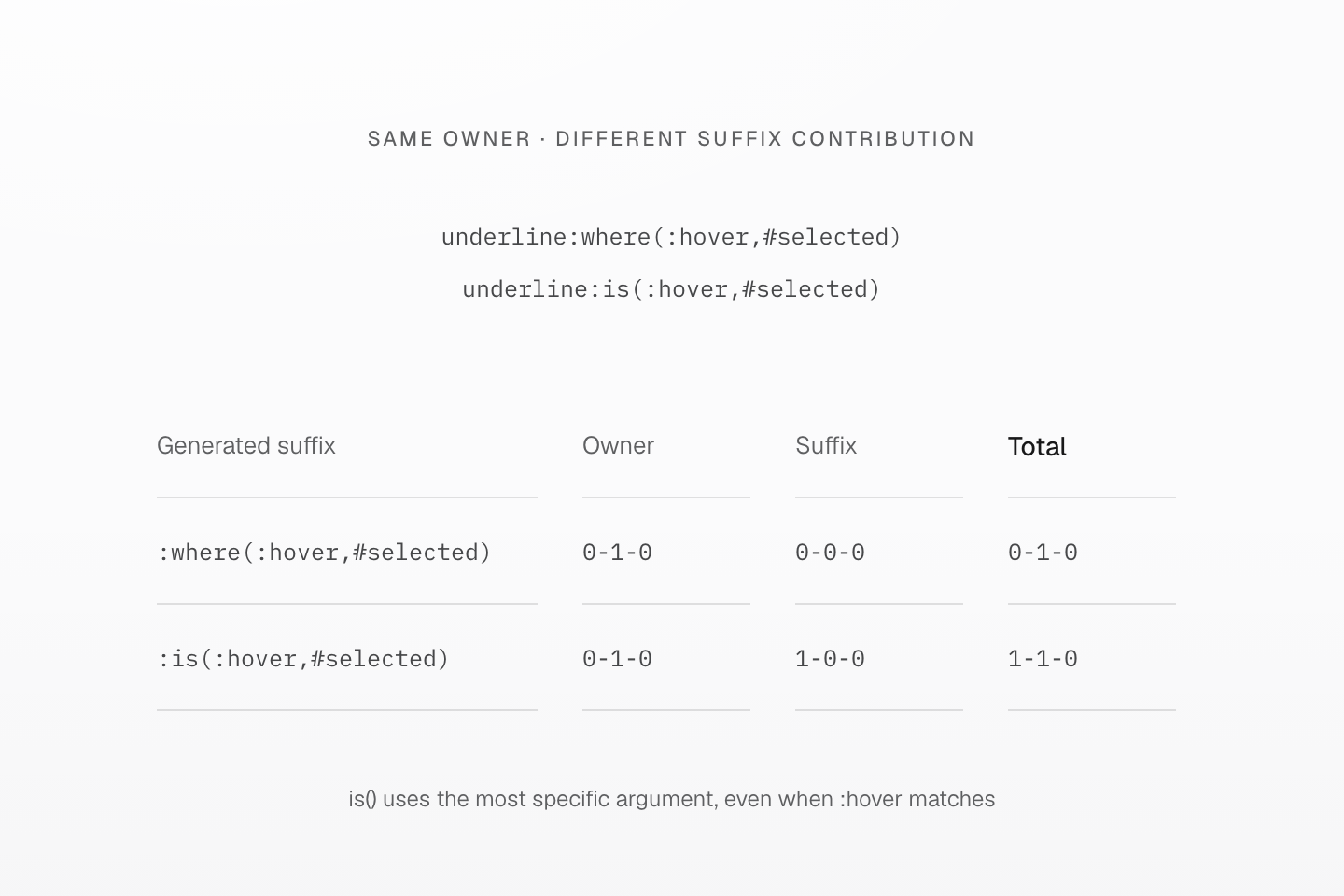
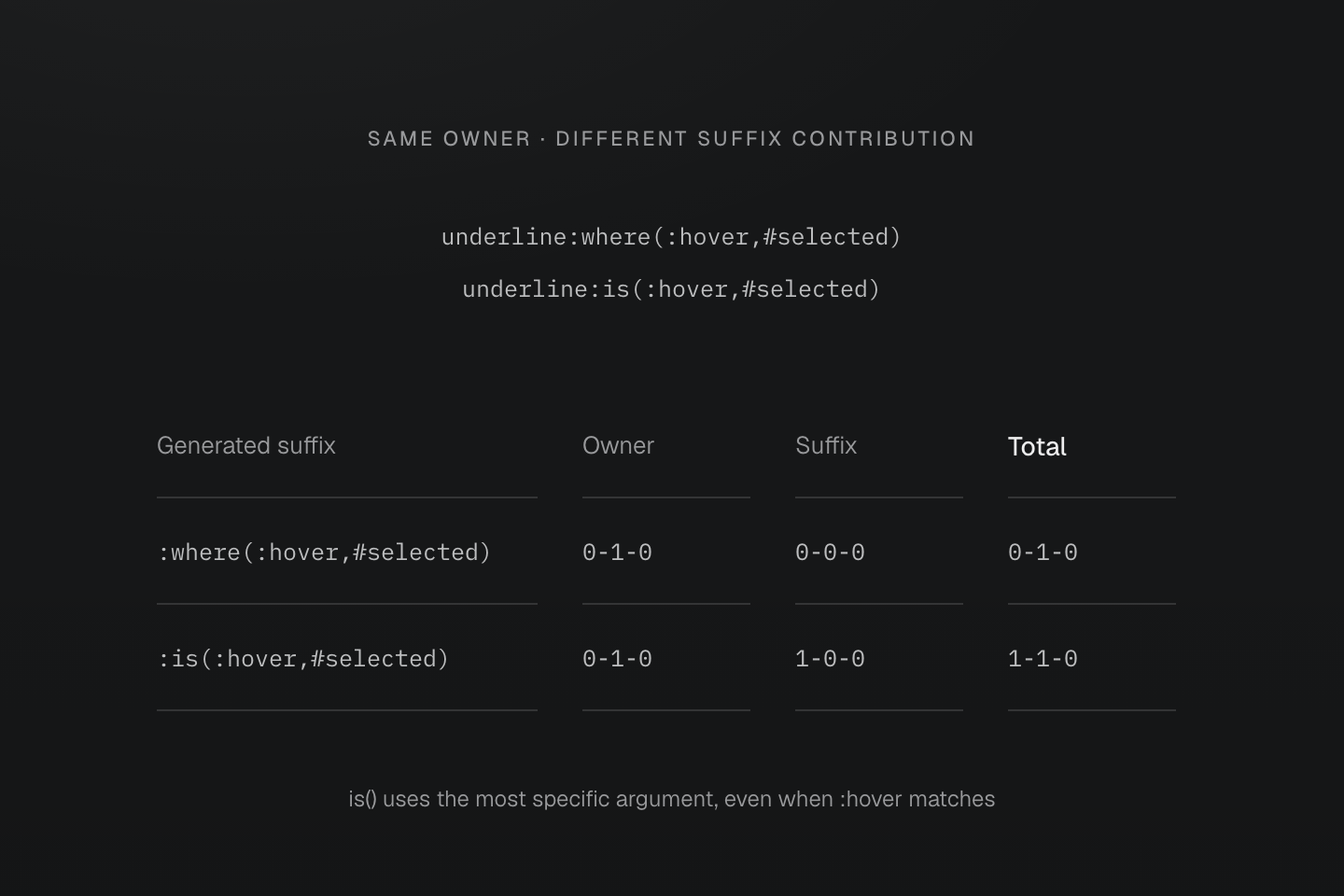
The figures compare specificity only. Origin, importance and layer precedence are considered earlier in the cascade.
Text description
- The escaped complete class owner contributes 0-1-0 in both generated selectors.
- For :where(:hover,#selected), the suffix contributes 0-0-0, so the total is 0-1-0.
- For :is(:hover,#selected), the ID argument supplies the maximum argument specificity of 1-0-0, giving a total of 1-1-0 even when the hover alternative is the one matching.
Use Cascade layers for rule ordering and the Guide's override workflow for practical decisions. Reordering classes in HTML does not change specificity.
External context
A suffix starts at the class-bearing element. When a target needs styles based on an ancestor or preceding sibling, a native CSS rule can state that relationship directly:
@layer components { .active .contextual { display: none; } .active > .child-contextual { display: none; } .active + .adjacent-contextual { display: none; } .active ~ .sibling-contextual { display: none; }}To wrap several utility declarations in the same relationship, use a mixin with a native selector and @contents. The mixin contents contract owns expansion and forwarding; Reusing styles explains when to choose this form.
Generated CSS is evidence of emission, not proof that the browser supports or matches the selector. Check the DOM relationship, actual state and native selector validity. In an ordinary CSS selector list, an invalid branch can invalidate the whole list; :is() and :where() use forgiving lists. Compatibility owns browser checks and fallback design.