Screen reader text
Hide text visually while keeping it in the accessibility tree.
On this page
Classes
| Class | Declarations |
|---|---|
sr-only | position: absolute;width: 1px;height: 1px;padding: 0;margin: -1px;overflow: hidden;clip: rect(0, 0, 0, 0);white-space: nowrap;border-width: 0; |
Use this class for text that should remain available to assistive technology. It is not a way to disable an element or remove it from keyboard navigation.
Visual clipping and accessible naming are separate
sr-only takes its element out of normal flow, gives it a 1px box and clips its paint. It does not apply display: none, visibility: hidden or aria-hidden. Text can therefore still contribute to an accessible name.
Clipped text can still name a visible control
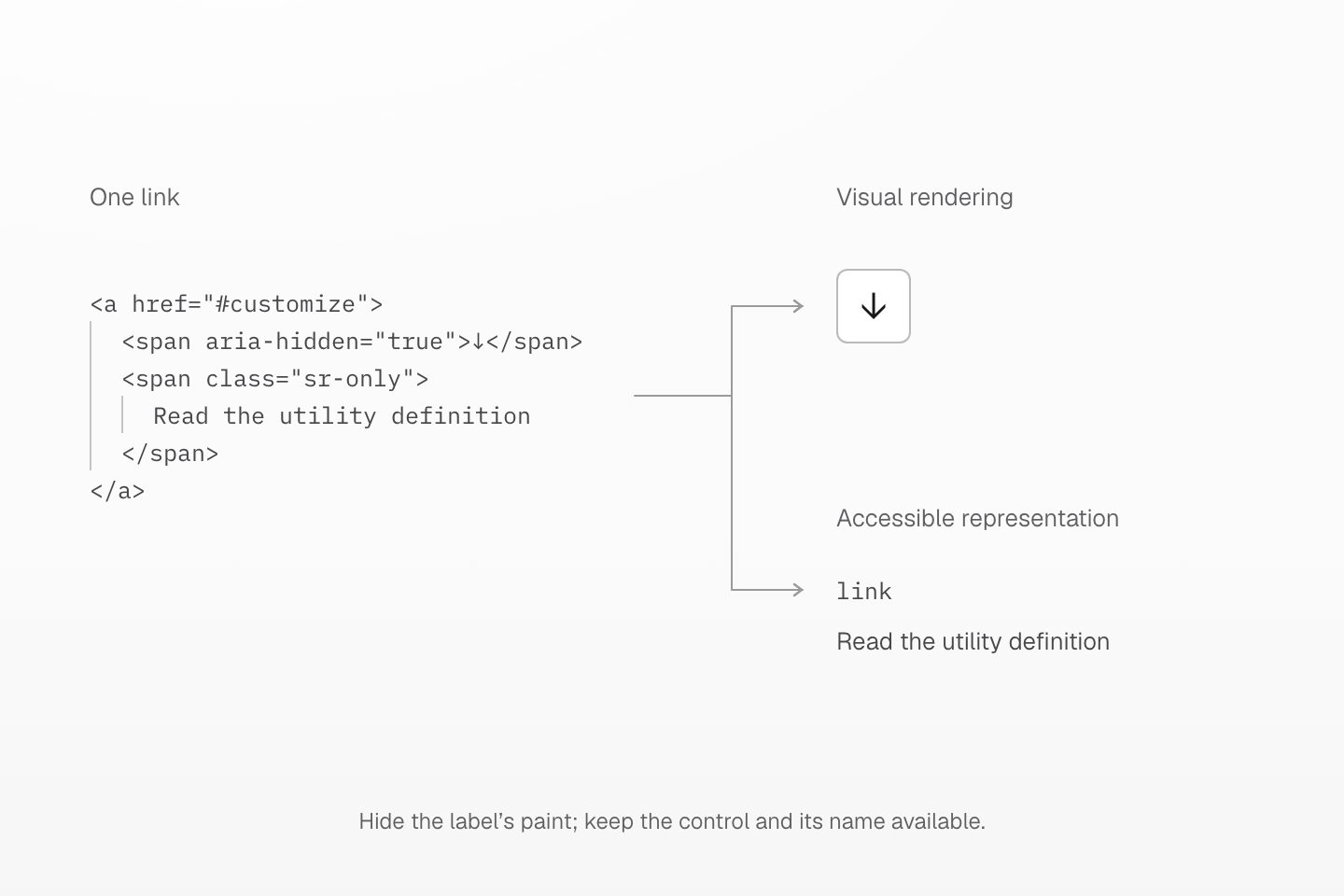
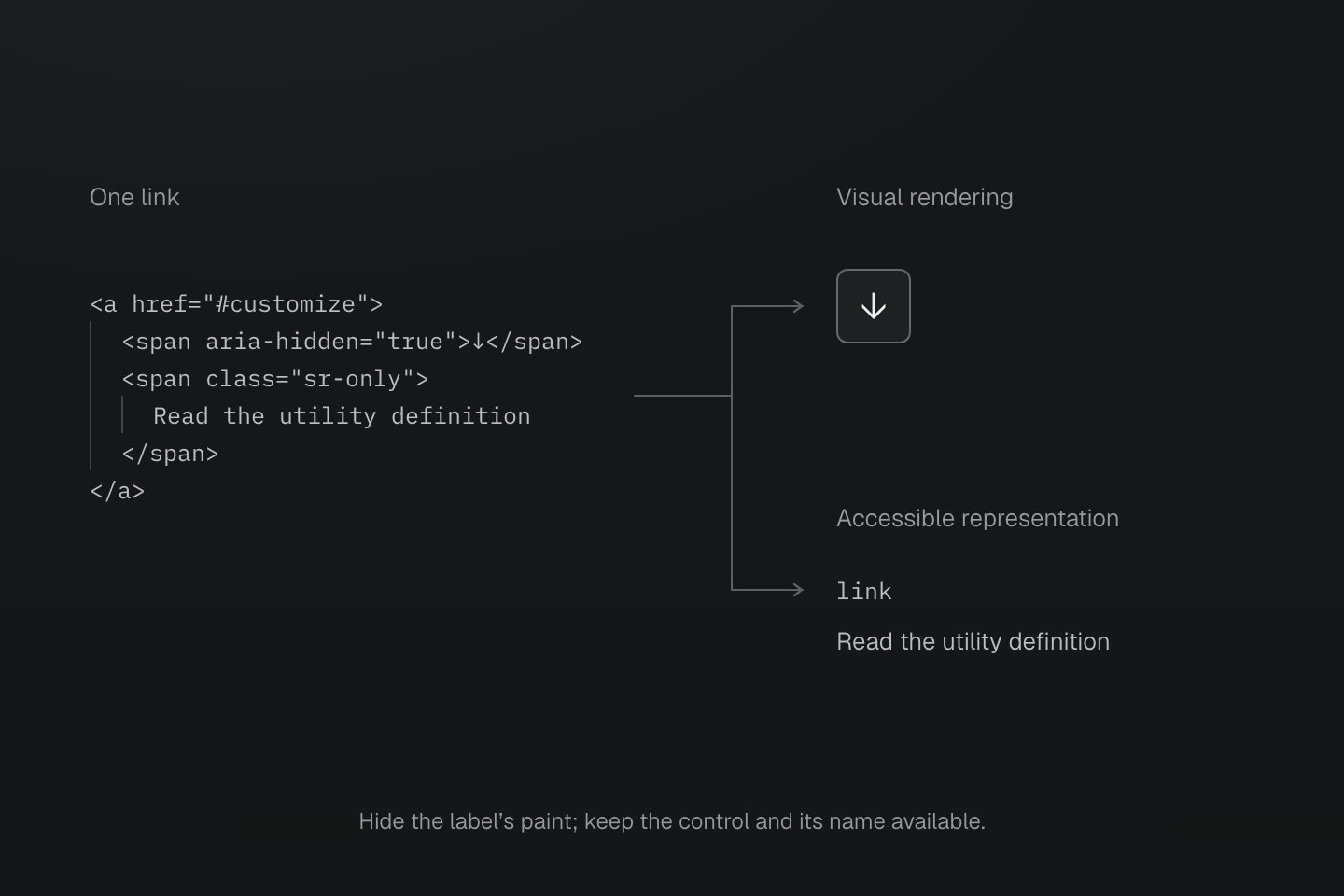
The arrow has aria-hidden="true". The label text is visually clipped by sr-only and supplies the link’s accessible name. The link itself stays visible and focusable.
Text description
- The link contains an arrow excluded from accessible-name calculation and a span containing Read the utility definition.
- The span uses the actual sr-only preset: absolute positioning, a 1px box, hidden overflow and clipping. It remains in the DOM without aria-hidden.
- The visible link still occupies a 40px square and shows the arrow. Its accessible role is link and its name is Read the utility definition.
- The two branches are representations of the same control, not sequential operations. Hiding an ancestor from the accessibility tree would also hide its descendants.
Put the class on the label text inside a control. Keep the control itself visible and focusable. An icon marked aria-hidden="true" stays out of the name, leaving the text to describe the action.
Do not put a focusable control inside an always-clipped region: keyboard users could reach a control they cannot see. A skip link needs its own visible-on-focus styling; the preset does not provide a not-sr-only reversal utility.
An ancestor that removes the subtree from the accessibility tree still removes this text. sr-only cannot counteract hidden, display: none or aria-hidden="true" on an ancestor. Test the resulting role and name in the actual control.
See accessible names.
Usage
Name an icon-only link that opens the utility definition below.
<a href="#customize"> <span aria-hidden="true">↓</span> <span class="sr-only">Read the utility definition</span></a>Generated CSS
@layer utilities { .sr-only { position: absolute; width: 1px; height: 1px; padding: 0; margin: -1px; overflow: hidden; clip: rect(0, 0, 0, 0); white-space: nowrap; border-width: 0 }}Customize
The preset defines these classes with @utility. Define the same name in your stylesheet to replace it.
@utility sr-only { position: absolute; width: 1px; height: 1px; padding: 0; margin: -1px; overflow: hidden; clip: rect(0, 0, 0, 0); white-space: nowrap; border-width: 0;}See utility definitions.