Native CSS pruning
Control native class pruning and on-demand keyframes within each stylesheet.
On this page
Native CSS pruning removes unused class-selector branches and makes keyframes available on demand. It is a stylesheet policy, separate from generating utility classes. Optimizing CSS delivery teaches when to enable it; Scanning directives owns the source and candidate filters.
A pruning directive stops at its file boundary
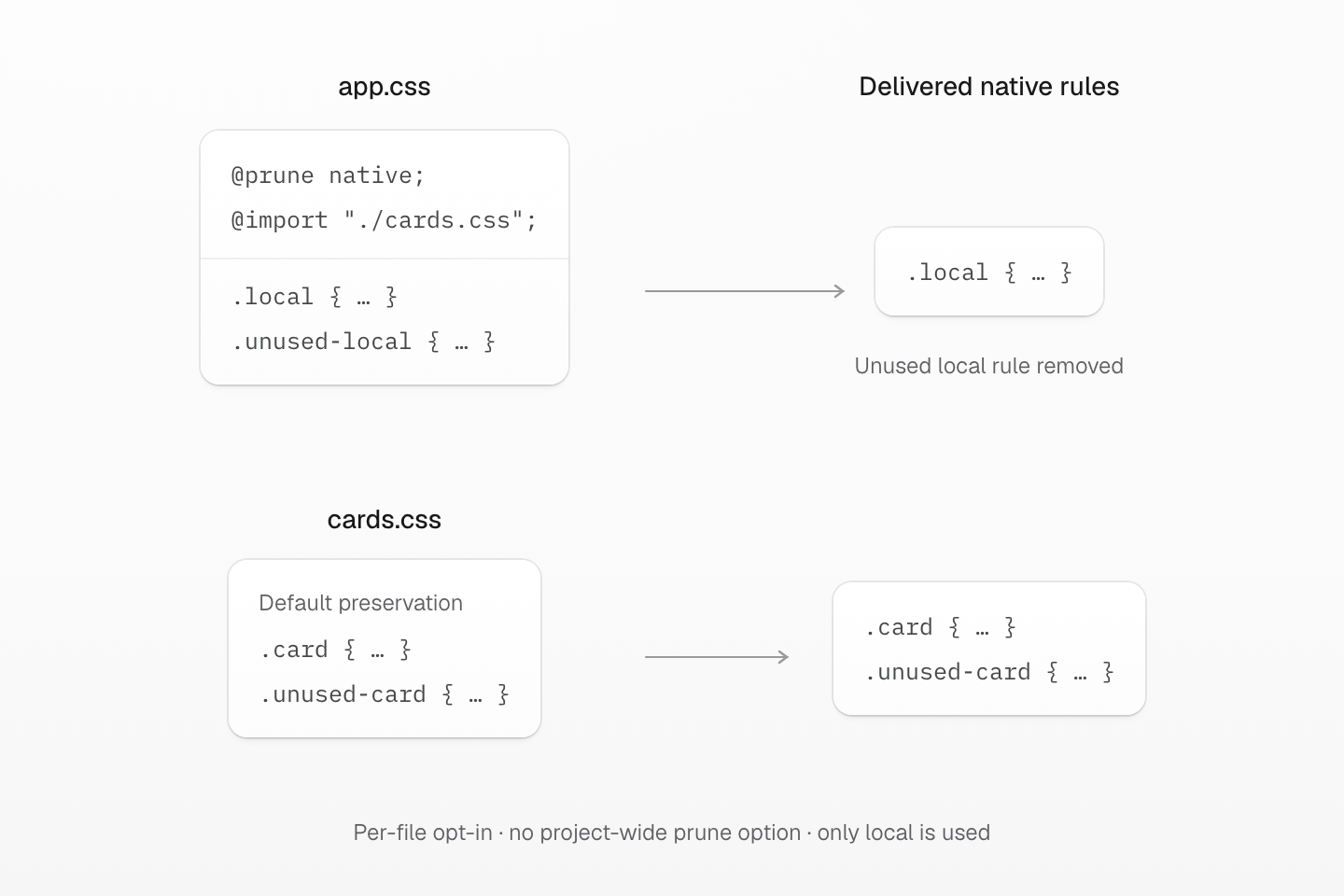
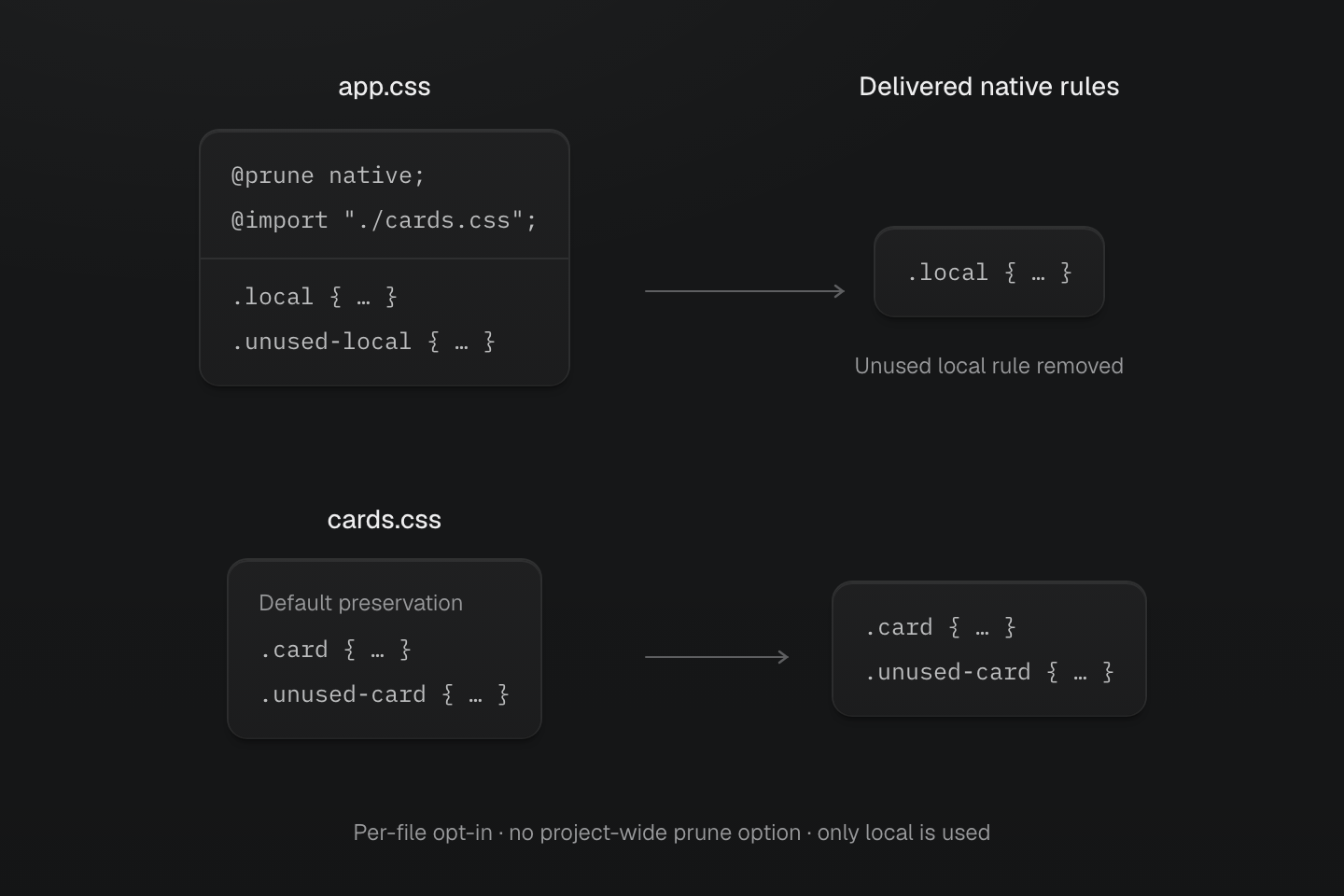
Only local is used in this compilation. app.css opts in; cards.css does not. Importing cards.css does not pass the pruning directive into it.
Text description
- app.css contains @prune native, imports cards.css, and defines .local and .unused-local. The only used class is local.
- Its output keeps .local and removes .unused-local.
- cards.css declares neither pruning nor preservation directives. Its default policy keeps both .card and .unused-card, although neither class is used.
- A project-wide pruneNativeCSS option can opt project files in separately. @preserve native wins within its own file. This example isolates explicit per-file policy.
Native CSS is preserved by default, even when a class list is supplied. Set
pruneNativeCSS: true in an integration or stylesheet API to prune project-owned
sources. Package CSS stays preserved unless its own source explicitly opts in.
@prune native
@prune native;.used { color: red;}.unused { color: blue;}This directive opts only its declaring file into pruning. It does not propagate
to imported stylesheets. @preserve native; takes precedence in the same file,
including when the integration enables project-wide pruning. The native-output
switch preserveNativeCSS: false is separate and suppresses native output
regardless of either directive.
@preserve native
Use @preserve native; when a Master-managed stylesheet contains native CSS class rules that must not be removed by native CSS pruning.
@import "@master/css";@preserve native;.injected-by-payment-widget { color: blue;}The stylesheet is still processed by Master CSS. Native class rules are retained even when no scanned source uses their classes; ordinary compiler normalization still applies. This policy does not force unused managed classes into the generated output and does not mean that the original CSS bytes are preserved.
Preserve wins over prune in the same file
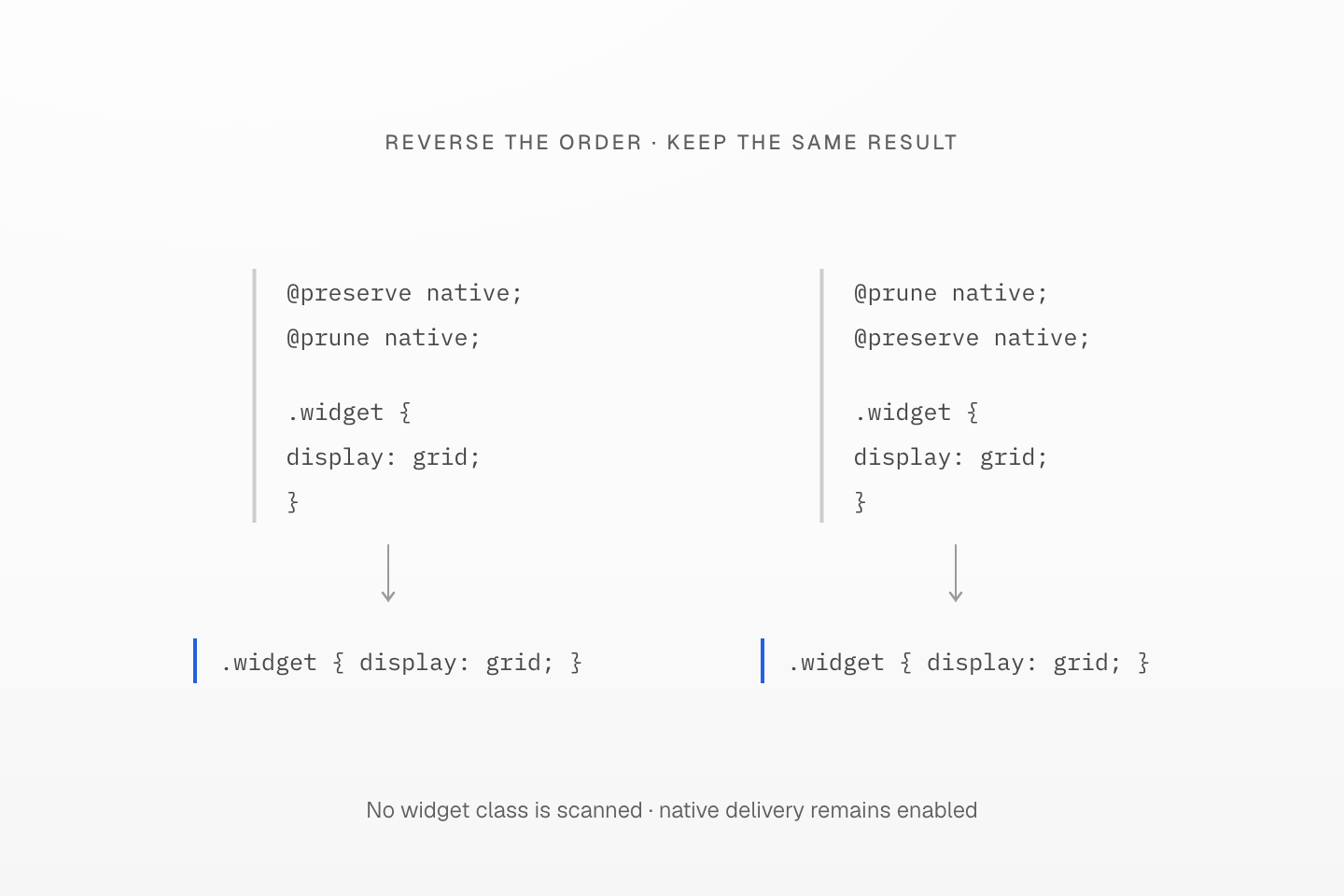
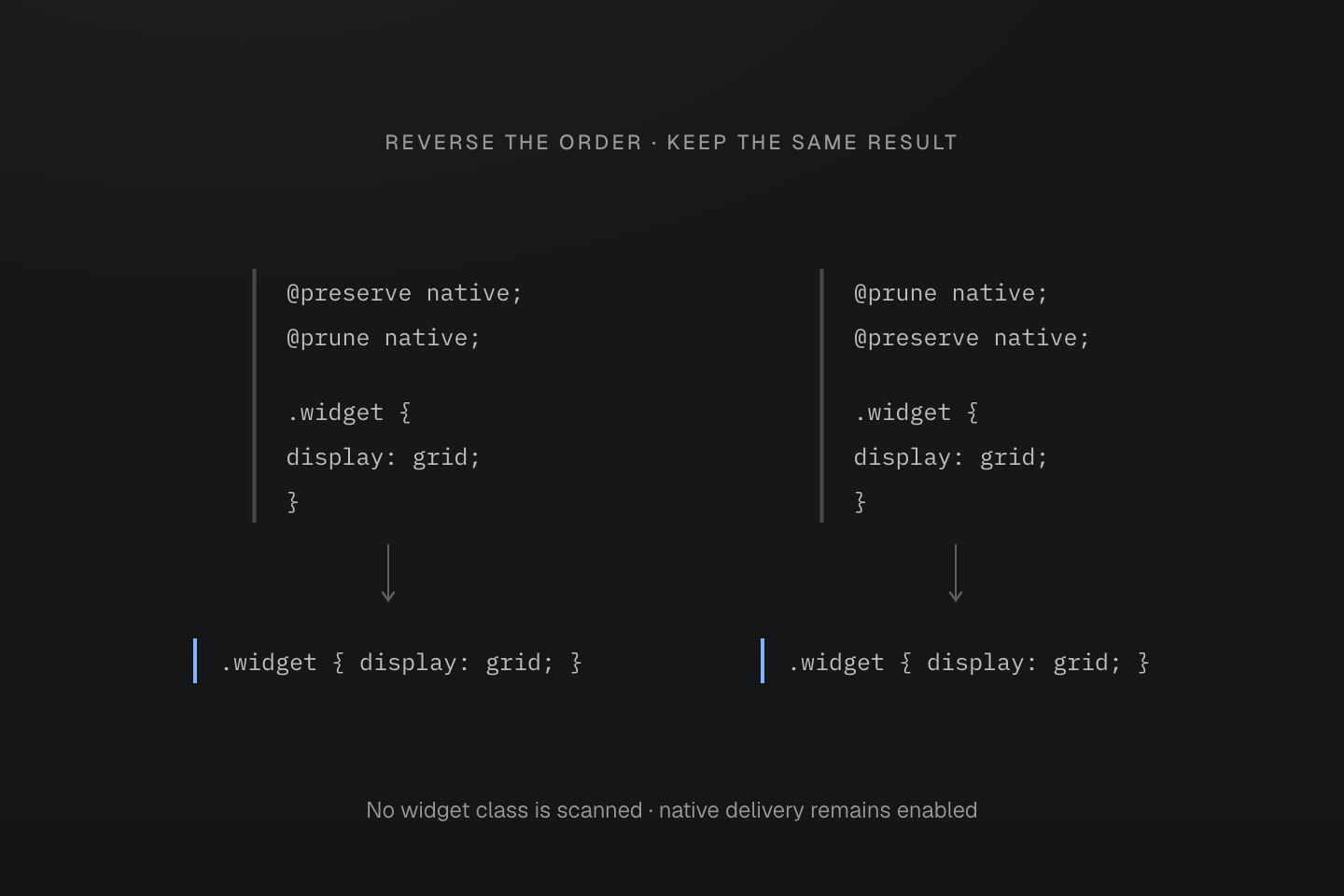
Native delivery is enabled in both cases. This policy retains native CSS; it does not safelist unused managed utilities.
Text description
- When @preserve native and @prune native occur in the same file, preservation wins in either order.
- The native .widget rule is therefore retained even without a scanned widget class.
- preserveNativeCSS: false is a separate output switch and can suppress native delivery regardless of either directive.
Import graph
Resolved CSS imports keep their own source boundaries, so each file's policy
applies to that file alone. An importing file cannot enable pruning in its
dependencies. Under pruneNativeCSS: true, project-owned dependencies participate
unless they declare @preserve native;; package and remote styles do not become
project-owned because the project imports them. Qualified imports keep their
media, supports and layer wrappers.
@prune native;@import "@master/css";@import "./cards.css";@prune native;.card { border: 1px solid rgb(0 0 0 / 12%);}.unused-card { color: red;}With card in scanned source, the output keeps .card and removes .unused-card.
Without the directive in cards.css, both rules stay.
Root scope
Activation belongs to each source file; filtering uses the usage scope of the root that imports it. An opted-in shared file can therefore keep different classes under different roots. A file imported directly by JavaScript or a framework route becomes its own root only when that import enters the Master CSS pipeline.
By default a root uses the global scanner scope. @source, @source not,
@safelist and @blocklist anywhere in the root's import graph narrow or widen
it; directives in an imported file merge into every root that imports it, and
relative patterns resolve from the declaring file.
@prune native;@import "@master/css";@source "./page.html";@import "../shared.css";@prune native;@blocklist "debug-*";.shared-card { border: 1px solid rgb(0 0 0 / 12%);}.only-used-in-b { color: blue;}.debug-outline { outline: 1px solid red;}If app/a/page.html uses only shared-card, the a.css output keeps
.shared-card and removes .only-used-in-b and .debug-outline. A sibling root
b.css whose page uses only-used-in-b keeps that rule from the same file.
Rule filtering
A class selector rule is kept when any class in one of its selector branches is
used; unused branches are removed from selector lists. The check is by class name,
not by DOM relationship: for .card .title, finding either card or title
retains the branch, so a retained rule can still match no element.
@prune native;body { margin: 0;}.card,.unused:hover { border: 1px solid rgb(0 0 0 / 12%);}@media (width >= 48rem) { .card .title { font-weight: 700; } .debug-card { outline: 1px solid red; }}With card and title used, the output keeps body, .card and
.card .title, and removes .unused:hover and .debug-card. Rules without class
selectors, such as body, html and :root, are always kept. At-rule blocks left
empty by pruning are removed.
Pruning keeps branches by class usage
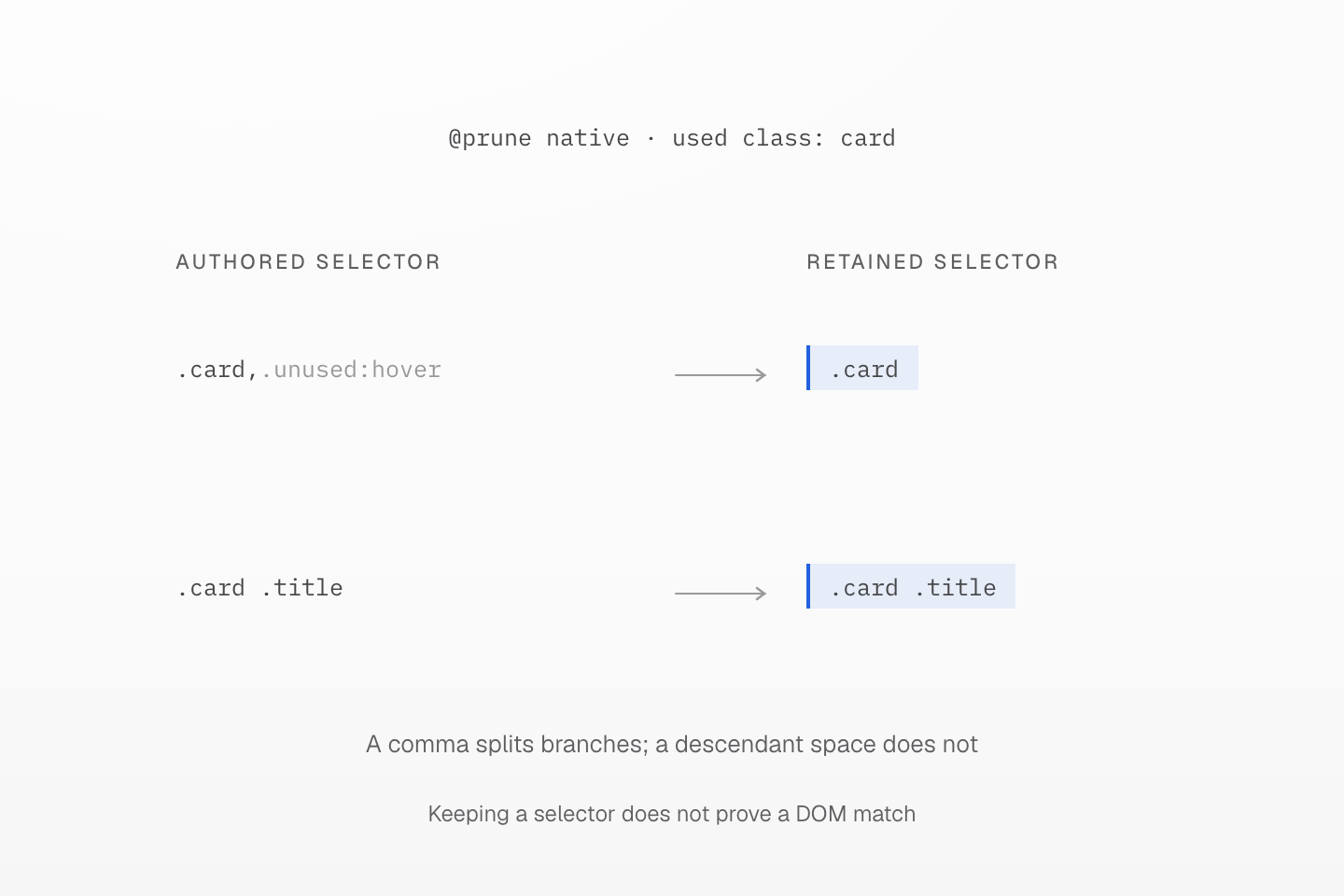
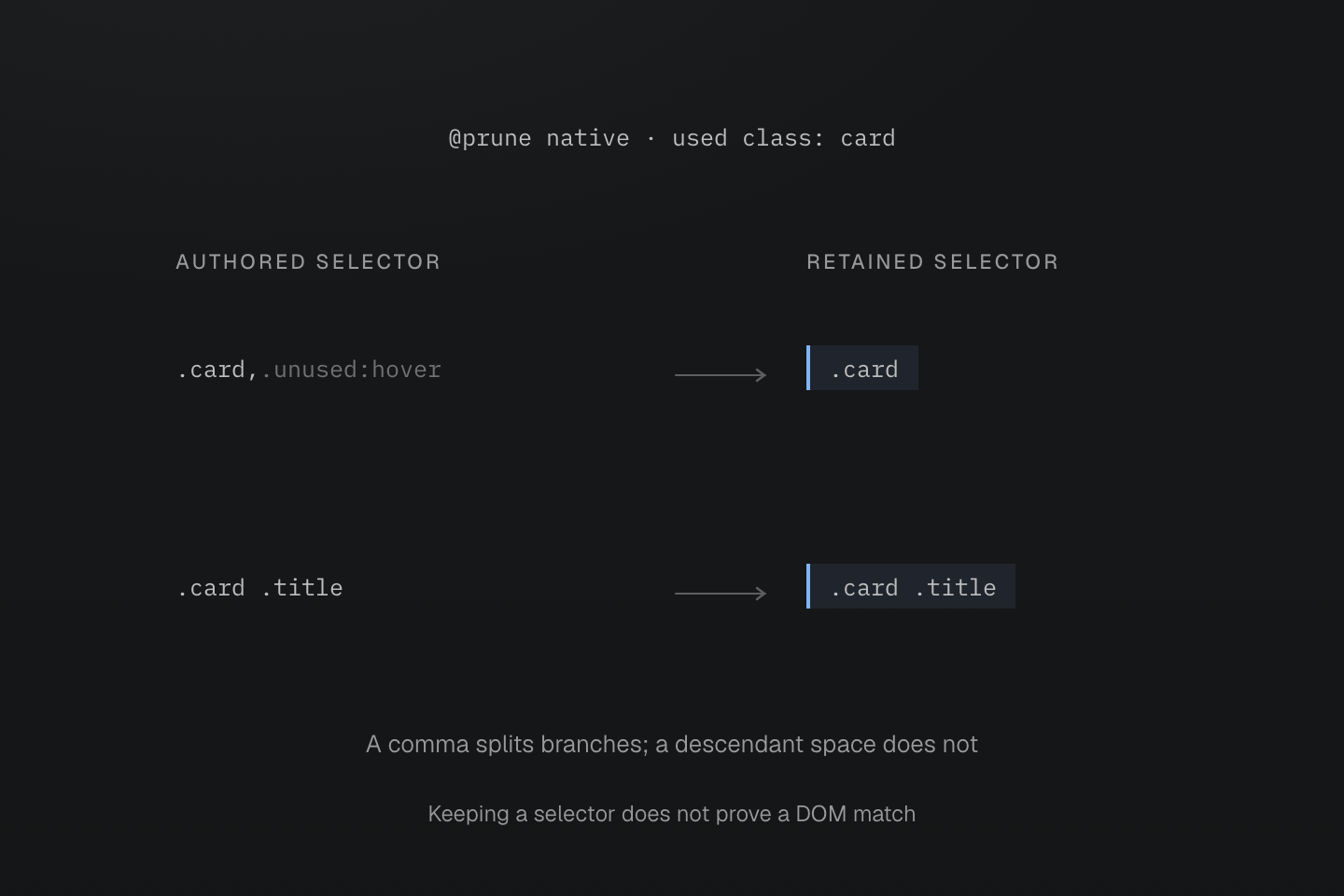
The retained highlight follows selector branches. Pruning checks used class names, not whether the complete selector currently matches an element.
Text description
- With @prune native and card used, .card, .unused:hover keeps only its .card branch.
- The separate .card .title branch is retained because card appears in the used set; title need not also be found.
- Retention does not prove that the DOM contains a title descendant. Rules without class selectors remain preserved.
Manifest references
A kept native rule that reads var(--*) or names a manifest animation retains the
matching theme variables and keyframes from the project entry graph. A removed
rule keeps nothing alive.
@prune native;@import "@master/css";@theme { --color-primary: #175cff;}.notice { color: var(--color-primary);}.unused-notice { color: var(--color-primary);}If only notice is used, --color-primary is emitted because .notice is kept;
.unused-notice is removed.
Included classes
@safelist marks native classes as used when they come from a bounded external
source, so pruning keeps their rules. It does not replace application classes
written in scanned source.
@prune native;@safelist "dialog-open dialog-closing";.dialog-open { overflow: hidden;}.dialog-closing { pointer-events: none;}Native keyframes
Declare keyframes in native CSS, and opt into usage-based output in their owning file:
@prune native;@theme { --animate-reveal: reveal .2s ease-out both;}@keyframes reveal { from { opacity: 0; } to { opacity: 1; }}@safelist keyframes "external-enter" "external-exit";@keyframes external-enter { from { opacity: 0; } to { opacity: 1; }}@keyframes external-exit { from { opacity: 1; } to { opacity: 0; }}Keyframes follow the same file policy as native class rules. By default they are native CSS: they stay in the output in place and verbatim, and Master CSS never emits them again. @prune native; turns the file's keyframes into on-demand definitions, like tokens: they leave its native output, and the output that uses one emits it with the generated CSS. @preserve native; wins when both appear. The policy applies only to the declaring file and does not propagate through imports. The pruneNativeCSS option retains its project-owned file scope. Package CSS stays preserved unless it explicitly opts into pruning. preserveNativeCSS: false suppresses native delivery; on-demand definitions are still emitted where they are used.
Keyframe usage roots
Animation utilities, native animation declarations, static animation tokens and keyframe safelists use their matching definitions. Analysis follows shorthand values, animation-name lists, nested variables, fallbacks, scoped overrides and transitive token dependencies. A used definition also uses the tokens its frames read; a native definition supplies only those tokens, since its stylesheet delivers the frames. Unresolved dynamic names conservatively use all candidate definitions in the compilation graph and produce an information diagnostic.
An animation name can retain a definition without a class
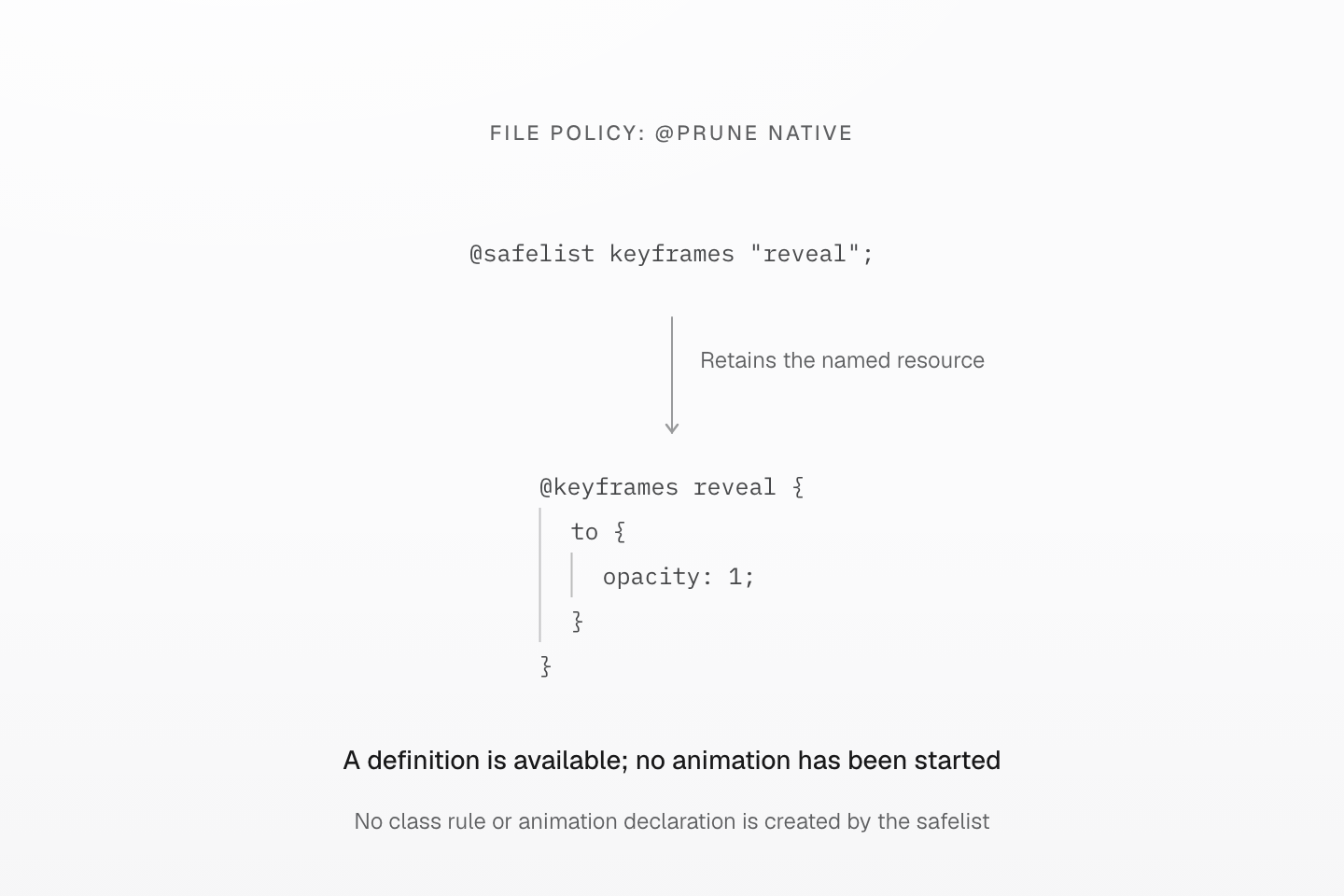
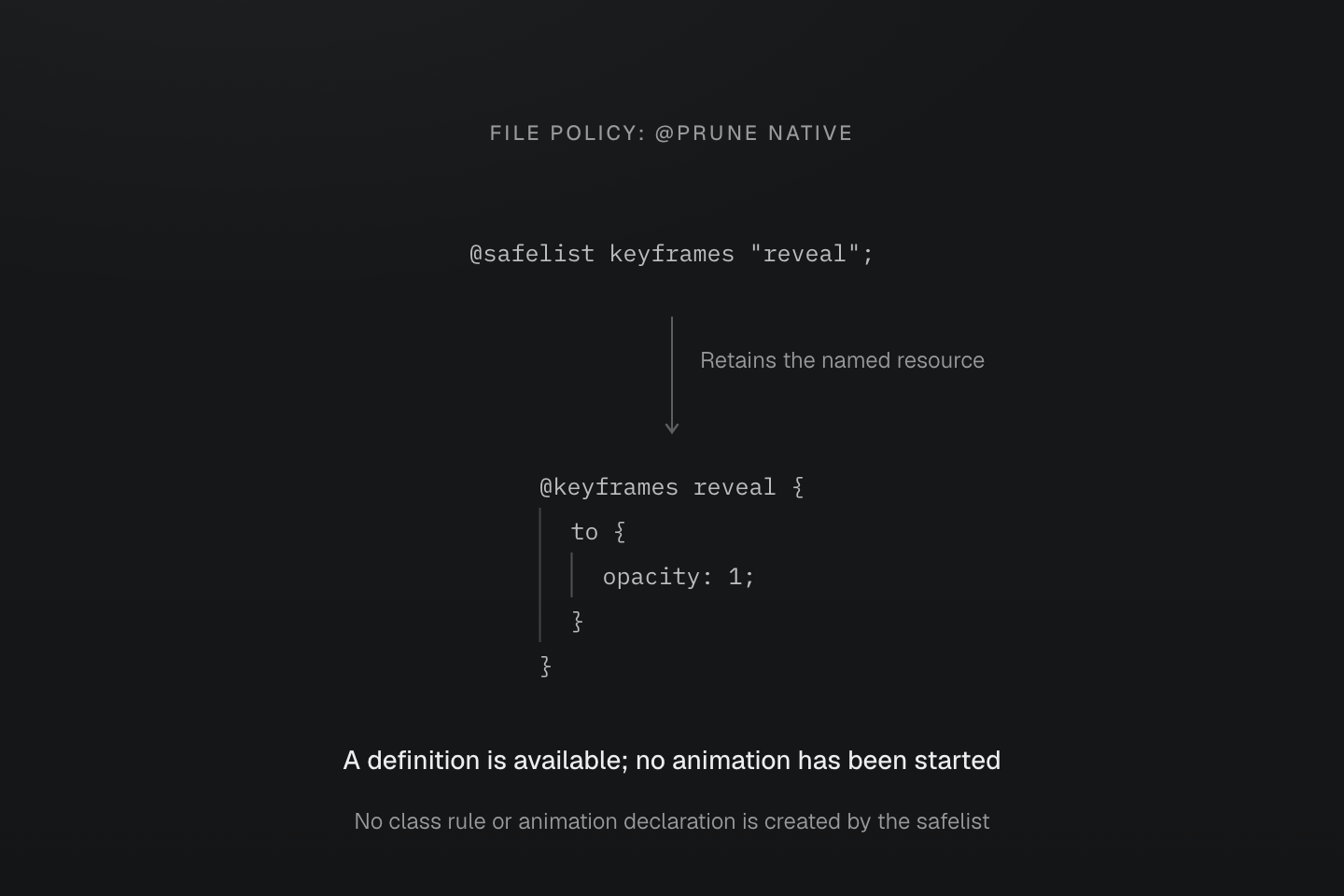
The file opts into @prune native. A keyframe safelist retains a resource; it does not start an animation.
Text description
- In a file with @prune native, @safelist keyframes "reveal" retains the matching @keyframes reveal definition.
- The output contains the keyframe definition but no generated class or animation declaration solely because of this safelist.
- Another native declaration or script must select the animation. Without that use, retaining the definition alone has no visible animation effect.
Keyframe conditions and restrictions
An emitted on-demand definition is wrapped in the conditional and layer rules it was declared in, including the layer of a qualified import, and follows the generated layers. Definitions of one container share one wrapper. Same-name definitions remain separate, in declaration order; the browser determines which definition wins. Names are decoded and case-sensitive. An anonymous layer cannot be re-entered, so on-demand keyframes in one, or imported into one, are compilation errors; name the layer or preserve the file. Their frames are emitted away from their stylesheet, so a relative url() in them is a compilation error; use an absolute URL or preserve the file. Definition IDs derive from the declaring file's nearest named package.json and its package-relative path, so the same project emits identical CSS from any checkout or installation directory. Renaming that package changes the IDs; files outside any named package fall back to their absolute path.
Keyframe resource ownership
Frames contain native declarations; nested directives and @apply inside frames are unsupported. Unused utilities and mixins, pruned native rules and undelivered reference styles do not create usage roots. @reference makes definitions available on demand without importing their preservation policy or safelists; native keyframes with relative URLs stay with their stylesheet. Native keyframes of a project or base manifest are likewise on demand in a stylesheet that does not deliver them. Emitted globals list the keyframes an output delivers, natively or on demand, so another output does not emit them again. For animation names introduced only by JavaScript, use @safelist keyframes "reveal";.
Runtime keyframe lifetime
The runtime tracks definition IDs separately from names and inserts on-demand definitions into its own stylesheet. DOM removal releases a definition only when no native usage, static token or safelist still uses it. HMR replaces definitions and emitted globals together; SSR hydration uses the same IDs and resource order. Linked stylesheets stay ordinary CSS with no companion files or markers.
Native keyframes
@keyframes fade-in { to { opacity: 1; } }Generated CSS
@keyframes fade-in { to { opacity: 1; }}