字型
字型家族、大小與字重,統一使用 font-* 形式。
本頁目錄
類別
| 類別 | 宣告 |
|---|---|
font-<family> | font-family: var(--font-family-<family>); |
font-<size> | font-size: var(--font-size-<size>); |
font-<weight> | font-weight: var(--font-weight-<weight>); |
三個命名空間共用 font- 前綴,因此名稱必須在三者之間保持唯一。同名定義出現在多個命名空間時,會回報 AMBIGUOUS_TOKEN,而且不產生 CSS。
值
字型家族是依序嘗試的備援清單,大小是 rem 長度,字重則是數值要求。像素換算假設根元素字型大小為 16px。實際呈現的字型與可用字重,取決於頁面載入的字型。
字型家族
| 類別 | 值 |
|---|---|
font-sans |
|
font-mono |
|
font-serif |
|
比較全部字型家族
font-sansfont-monofont-serif大小
| 類別 | 值 |
|---|---|
font-3xs | .5rem8px |
font-2xs | .625rem10px |
font-xs | .75rem12px |
font-sm | .875rem14px |
font-md | 1rem16px |
font-lg | 1.125rem18px |
font-xl | 1.25rem20px |
font-2xl | 1.5rem24px |
font-3xl | 2rem32px |
font-4xl | 2.25rem36px |
font-5xl | 2.5rem40px |
font-6xl | 3rem48px |
font-7xl | 3.75rem60px |
font-8xl | 4.5rem72px |
font-9xl | 6rem96px |
font-10xl | 8rem128px |
比較全部字型大小
font-3xsfont-2xsfont-xsfont-smfont-mdfont-lgfont-xlfont-2xlfont-3xlfont-4xlfont-5xlfont-6xlfont-7xlfont-8xlfont-9xlfont-10xl字重
| 類別 | 值 |
|---|---|
font-thin | 100 |
font-extralight | 200 |
font-light | 300 |
font-regular | 400 |
font-medium | 500 |
font-semibold | 600 |
font-bold | 700 |
font-extrabold | 800 |
font-heavy | 900 |
比較全部字重
font-thinfont-extralightfont-lightfont-regularfont-mediumfont-semiboldfont-boldfont-extraboldfont-heavy共用一個前綴,屬性各自獨立
font-serif、font-4xl 與 font-semibold 分別設定 font-family、font-size 與 font-weight。因為設定不同屬性,所以可以合併使用,但其中任何一個都不是完整的文字樣式。
font 前綴可改變三個獨立屬性
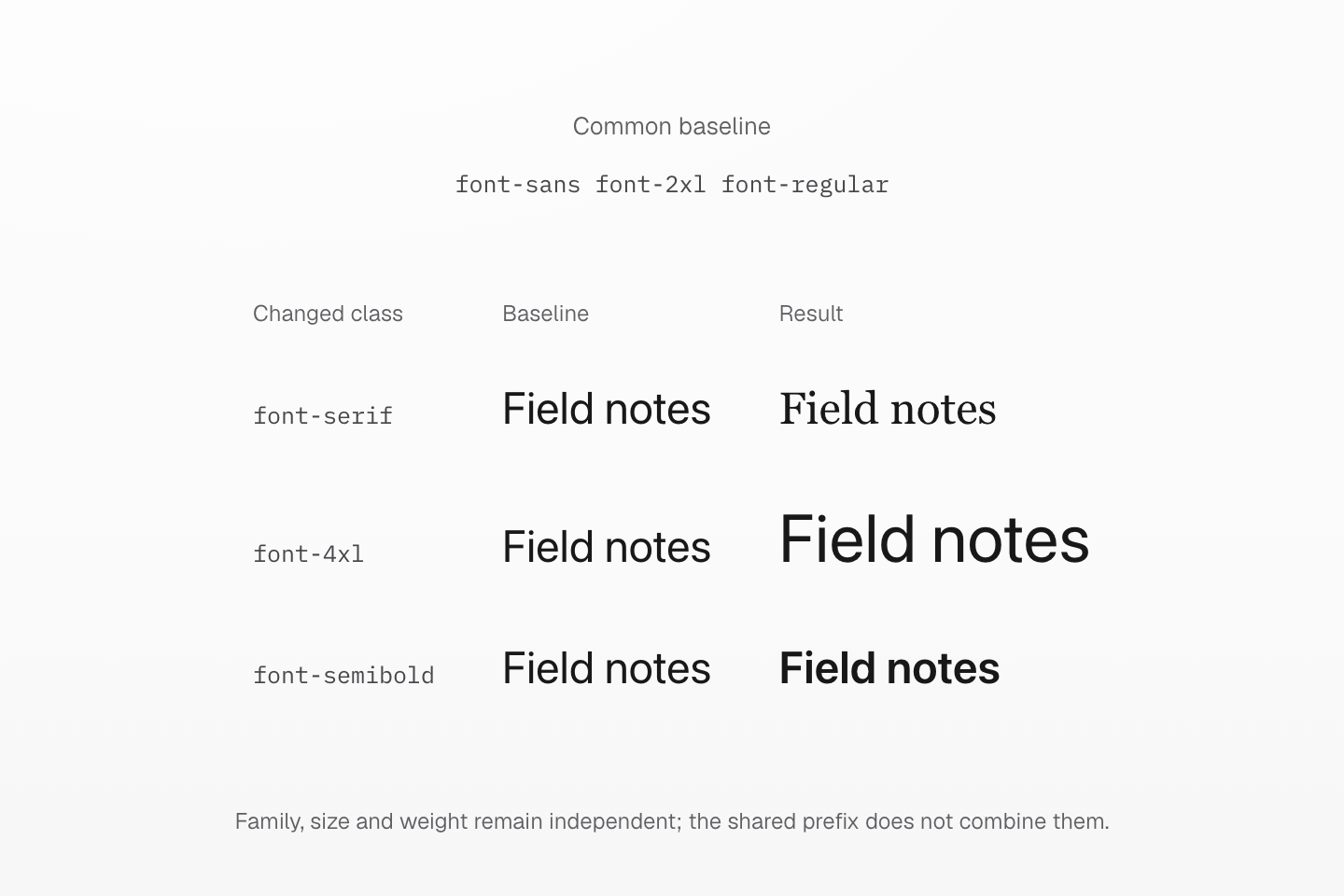
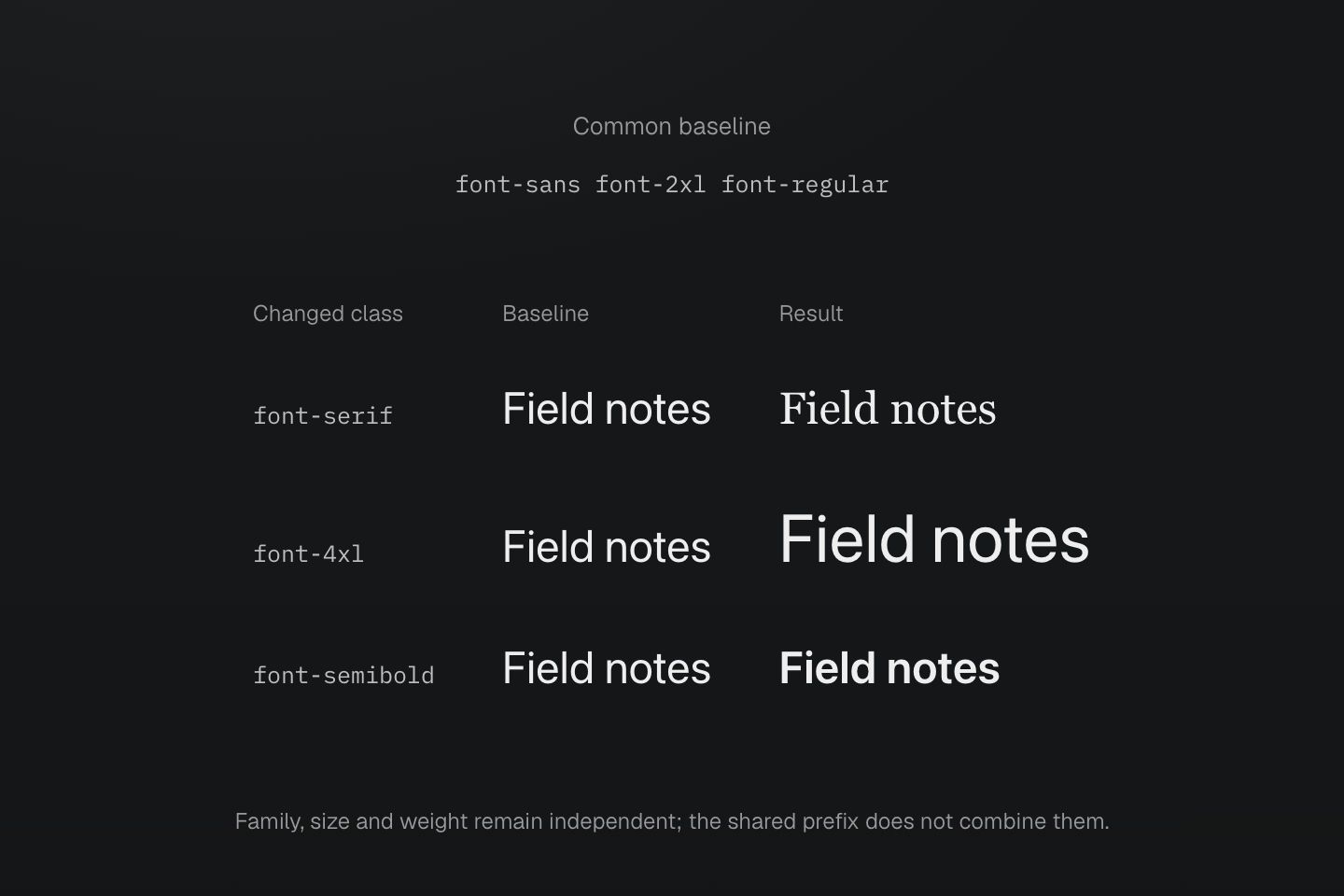
每列都從 font-sans、font-2xl 與 font-regular 開始,結果只替換指定屬性對應的 class。實際呈現的字型取決於可用字型。
文字說明
- 基準文字使用 sans 家族、1.5rem 大小與 400 字重,根元素字型大小為 16px。
- font-serif 列只改變 font-family。font-4xl 列只將 font-size 改為 2.25rem。font-semibold 列則只將 font-weight 改為 600。
- 每個結果都使用相同文字,並共用無單位的 line-height 1.5,讓範例易於閱讀;這些 font class 本身不會設定 line-height。
- 範例使用真正的預設 CSS 與可用的系統字型,不表示字型家族 class 會下載字型檔。
字型大小 class 會讓行高與字距依各自的宣告或繼承決定。如果三個度量都應來自同一組文字樣式,請使用 text-<name>。無論哪種形式,字型家族與字重都仍然獨立。
字型家族 token 只會指定字型名稱,不會下載字型。預設的 sans、mono 與 serif 字型堆疊,分別以選用的 --font-sans、--font-mono 與 --font-serif 掛鉤開頭。載入字型與選擇全站字型堆疊的做法,請見文字排版指南。
自訂鍵必須在三個命名空間之間保持不同。如果 --font-family-brand 與 --font-size-brand 同時存在,font-brand 就會有歧義。(font-size:var(--font-size-brand)) 這類明確的原生宣告,可以直接指定要使用的屬性與變數。
用法
為標題設定較大的字級與中等字重,並為程式碼範例設定等寬字型家族。
Release notes
Install the new version with npm i @master/css.
<h3 class="… font-2xl font-medium">Release notes</h3><p class="… font-sm">Install the new version with <code class="… font-mono font-xs">npm i @master/css</code>.</p>產生的 CSS
@layer theme { :root, :host { --font-family-mono: var(--font-mono, ui-monospace), SFMono-Regular, Menlo, Monaco, Consolas, "Liberation Mono", "Courier New", monospace; --font-weight-medium: 500; --font-size-xs: .75rem; --font-size-sm: .875rem; --font-size-2xl: 1.5rem }}@layer utilities { .font-mono { font-family: var(--font-family-mono) } .font-2xl { font-size: var(--font-size-2xl) } .font-sm { font-size: var(--font-size-sm) } .font-xs { font-size: var(--font-size-xs) } .font-medium { font-weight: var(--font-weight-medium) }}自訂
每個命名空間接受自己的 token:--font-family-display 會建立 font-display,--font-size-hero 會建立 font-hero。
@theme { --font-family-display: "Inter Display", var(--font-family-sans); --font-size-hero: 4rem;}產生的 CSS
@layer theme { :root, :host { --font-family-sans: var(--font-sans, ui-sans-serif), system-ui, -apple-system, BlinkMacSystemFont, "Segoe UI", Roboto, "Helvetica Neue", Arial, "Noto Sans", sans-serif, "Apple Color Emoji", "Segoe UI Emoji", "Segoe UI Symbol", "Noto Color Emoji" } :root, :host { --font-family-display: "Inter Display", var(--font-family-sans); --font-size-hero: 4rem }}@layer utilities { .font-display { font-family: var(--font-family-display) } .font-hero { font-size: var(--font-size-hero) }}