같은 마크업으로 밝은 테마와 어두운 테마를.
모드는 클래스 이름이 아닌 토큰 값을 바꿉니다. 구분선을 드래그해 어떤 값이 적용되는지 확인하세요.
디자인 시스템
테마, 토큰, 넓은 색 영역의 색상, 레이아웃, 동작을 모두 클래스로 작성하며 생성되는 CSS도 예측할 수 있습니다.
테마 토큰 정의모드는 클래스 이름이 아닌 토큰 값을 바꿉니다. 구분선을 드래그해 어떤 값이 적용되는지 확인하세요.
색상, 간격, 모서리 반경, 타이포그래피를 @theme에 한 번 정의하면 유틸리티, 컴포넌트, 모드가 모두 그 값을 참조합니다.
@theme { --font-family-sans: "Inter"; --spacing-md: 1rem; /* p-md */ --spacing-lg: 1.5rem; /* p-lg */ --radius-xl: 0.75rem; /* r-xl */ /* bg-surface-base */ --color-surface-base: light-dark( var(--color-zinc-0), var(--color-zinc-95) );}유틸리티가 컴포넌트보다 뒤쪽 레이어에 있으므로 마크업의 클래스가 !important 없이 우선합니다.
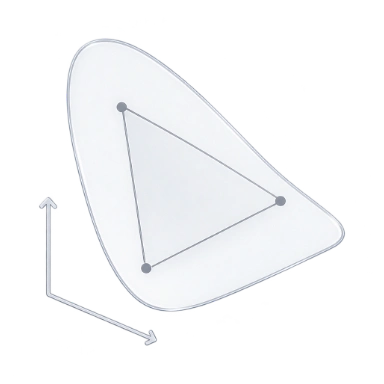
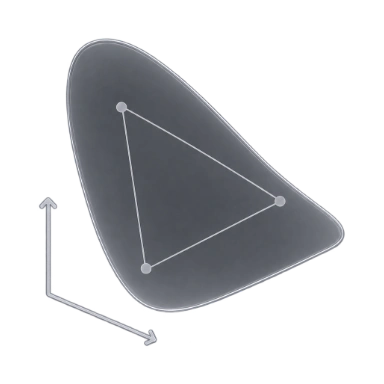
짙은 기준색부터 sRGB 범위를 넘는 선명한 강조색까지, 일정한 단계 체계로 구성된 P3 팔레트입니다.
편집기
언어 서비스는 매니페스트를 바탕으로 클래스를 자동 완성하고, 호버 시 생성 CSS를 보여 주며, 코드 안에 색상을 표시합니다.
방향키로 파일을 읽을 수 있습니다.
렌더링
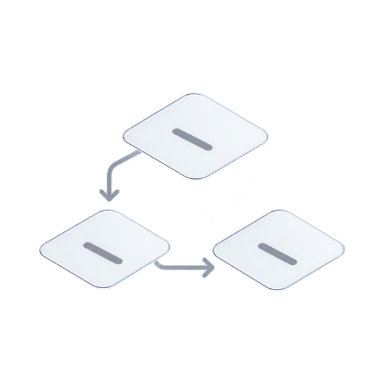
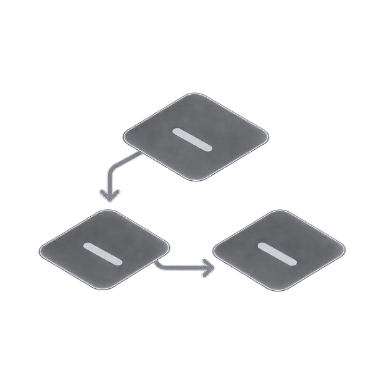
기본적으로 정적 CSS를 전달합니다. HTML에 사전 렌더링하거나 브라우저에서 생성할 수도 있습니다. 사용하는 클래스는 같습니다.
렌더링 모드 비교Scan complete class names in your source.Write the matching rules to app.css.Load the stylesheet before the page is painted.Reuse the rule already shipped in app.css.
Read the classes in the server-rendered HTML.Embed the first-load CSS in the page.Paint with the CSS that came with the HTML.Start the deferred engine for an uncovered class.
Read the page’s classes in the browser.Start the runtime and create a stylesheet.Generate and apply the rules in the browser.Insert the new rule into the browser stylesheet.
CSS 크기
각 페이지가 불러오는 CSS를 압축 전과 Brotli 압축 후로 비교합니다. Master CSS는 페이지에서 사용하는 유틸리티만 추가하며 나머지는 각 사이트 자체 스타일입니다.
벤치마크 상세 보기문서 페이지별 CSS · 2026-11-04
린트
편집기의 ESLint, 스크립트의 CLI, 에이전트의 MCP 서버가 같은 규칙과 수정 방식으로 클래스를 검사합니다.
모든 린트 규칙 보기<button class="inline-flex (color:12px)"> Save changes</button>@master/css/no-invalid-classes 1:28
$ npx @master/css-cli lint --format stylish1:28error@master/css/no-invalid-classes
→ mastercss_lint_content button.html"ruleId": "no-invalid-classes","severity": "error","loc": { "start": { "line": 1, "column": 28 } }
AI 에이전트
MCP 서버가 코딩 에이전트에 매니페스트와 린트 규칙을 제공하므로, 에이전트가 수정 내용을 직접 검사하고 변경 비교 형태로 제시할 수 있습니다.
MCP 서버 설정mastercss_manifest_query 토큰 12개{ "kind": "token", "namespace": "spacing" } spacing-4xs … spacing-5xlplan-card.html+3 −3mastercss_inspect_class matched{ "className": "bg-surface-raised" } background-color: var(--color-surface-raised)mastercss_lint_project 문제 4개{ "patterns": ["plan-card.html"] } 경고 4개, 수정 가능 4개mastercss_preview_fixes 1 file changed{ "patterns": ["plan-card.html"] } confirmToken "Vq3zK8…Ug6J"mastercss_apply_preview 적용됨{ "confirmToken": "Vq3zK8…Ug6J" } 해시 일치 확인 후 파일 기록 완료mastercss_lint_project 문제 없음{ "patterns": ["plan-card.html"] } 문제 0개mastercss_lint_project문제 없음
plan-card.htmlsha256 4e0a1aab…c9c0워크플로
하나의 프로젝트 매니페스트가 모든 통합, 모노레포 앱, 경로의 CSS를 결정합니다. 스냅샷을 비교하면 변경의 영향 범위를 확인할 수 있습니다.
프레임워크에 맞게 설치모든 프레임워크 통합과 CLI가 같은 프로젝트 매니페스트를 불러오므로 빌드와 편집기의 결과가 일치합니다.
index.css각 파일은 가장 가까운 프로젝트를 따르므로 같은 클래스도 앱에 따라 다르게 해석될 수 있습니다.
index.css경로별 스타일시트는 전역 규칙을 복사하지 않고 공통 토큰, 믹스인, 사용자 지정 미디어를 사용합니다.
.hero { display: grid; gap: var(--spacing-5xl); @media (--md) { grid-auto-flow: column; }}.plan { padding: var(--spacing-lg); @apply --raised; @media (--md) { padding: var(--spacing-5xl); }}.post { max-width: 42rem; padding: var(--spacing-lg); @media (--md) { @apply --raised; }}토큰을 바꾸고 스냅샷을 비교해 어떤 클래스, 파일, 출력에 영향을 주는지 확인하세요.
npm create @master/css@2.0.0